Run Script Flow Action
Inheriting a half-finished prototype, verifying its assumptions against the real product, then cutting it down to the single decision a stakeholder actually needed to make.
Customer problem
To run a script from a flow step, a Flow Designer user has to leave the flow, go build a wrapper custom action in Action Designer, then come back and reference it. That’s a full context switch and a permanent new artifact for something that is conceptually one step.
This case study is also about inheriting someone else’s work, which is a real and underdocumented part of practice. The project was conceived on an intern team, prototyped in part, left incomplete, then handed on twice. Every handoff carries the same three risks: decisions made for reasons nobody wrote down, mockup details never verified against the real product, and scope that quietly drifted.
The brief
A native Run Script flow action, written and called inline, with no detour through Action Designer.
By handoff the project had converged on one unresolved question: how should a script step take its inputs? Everything below is in service of answering it concretely enough for a stakeholder to decide.
Personas
Flow author who writes some script
Hybrid builder- Needs
- To stay in the flow. Script is a step, not a project.
- Gap
- Action Designer is a heavier tool than the task warrants.
Pro developer
Script-first- Needs
- The inline step to behave like the Action Designer script step they already know.
- Gap
- A new, subtly different scripting surface is worse than no new surface.
The stakeholder deciding
Vanessa Wang, PM- Needs
- A real, apples-to-apples comparison, not two disconnected mocks to react to.
- Gap
- The written PRD and platform-wide consistency point to different answers.
Solution
- v1 established the baseline model. An inline, OOB-styled Run Script action in the
flow step list. A script editor with syntax highlighting and drag-in data pills for
referencing flow variables. Output inference, where writing
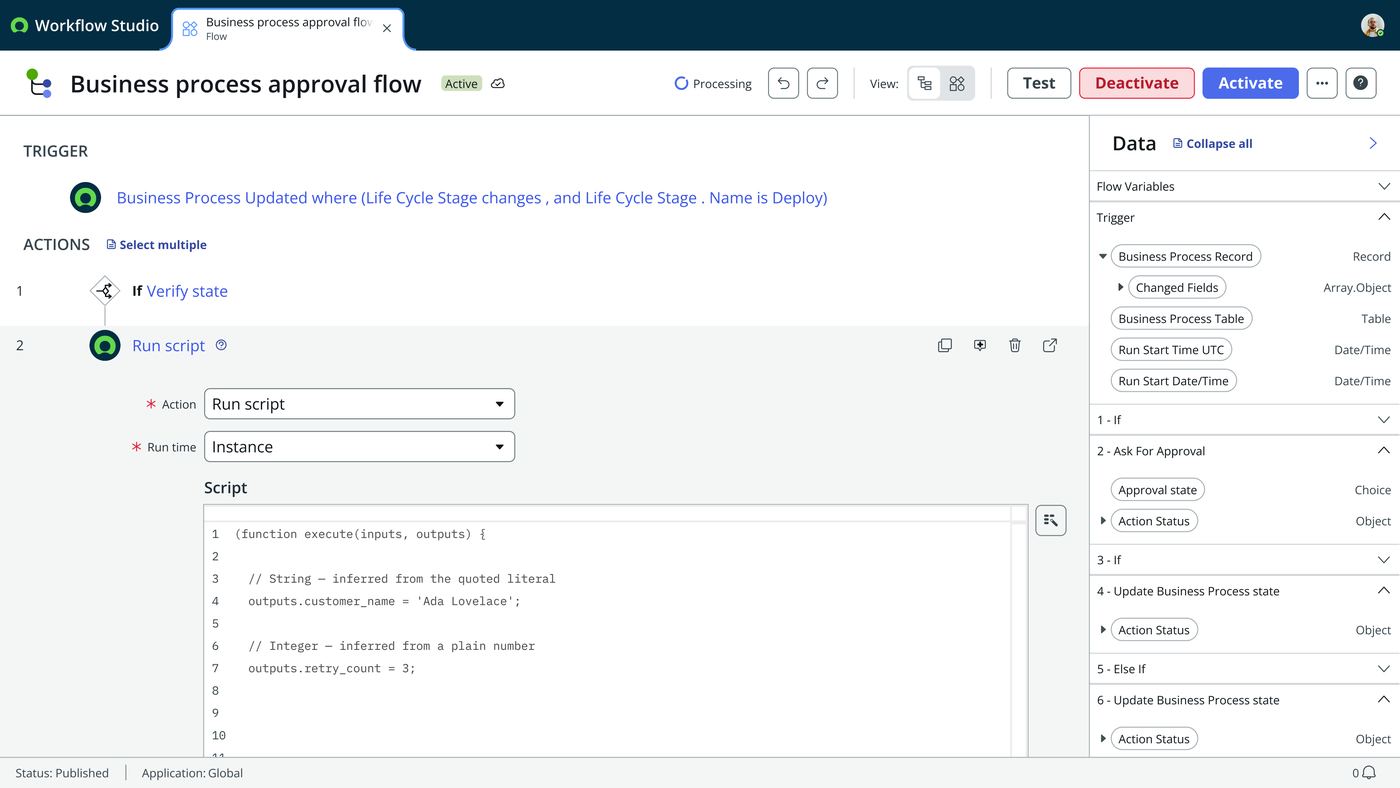
outputs.x = …populates a typed outputs table, and renaming in that table rewrites the script bidirectionally. And standard “if this step fails” error handling, matching every other flow action. - Auditing the inherited prototype before building on it. Two things did not hold up against the real product. A “Code with Now Assist” footer in the lo-fi mock turned out not to exist in the actual Action Designer script step, so it went. And an inline engineering open-question note had already been answered by the PRD, and was simply never cleaned up. Both small, but the discipline point is real: verify inherited details against the live product before designing on top of them.
- v2 dropped everything except the decision. It built comparison tooling rather than more screens: a nav rail, a variation switcher and a notes panel. Both variations share one live editor instance, so the comparison is genuinely apples-to-apples.
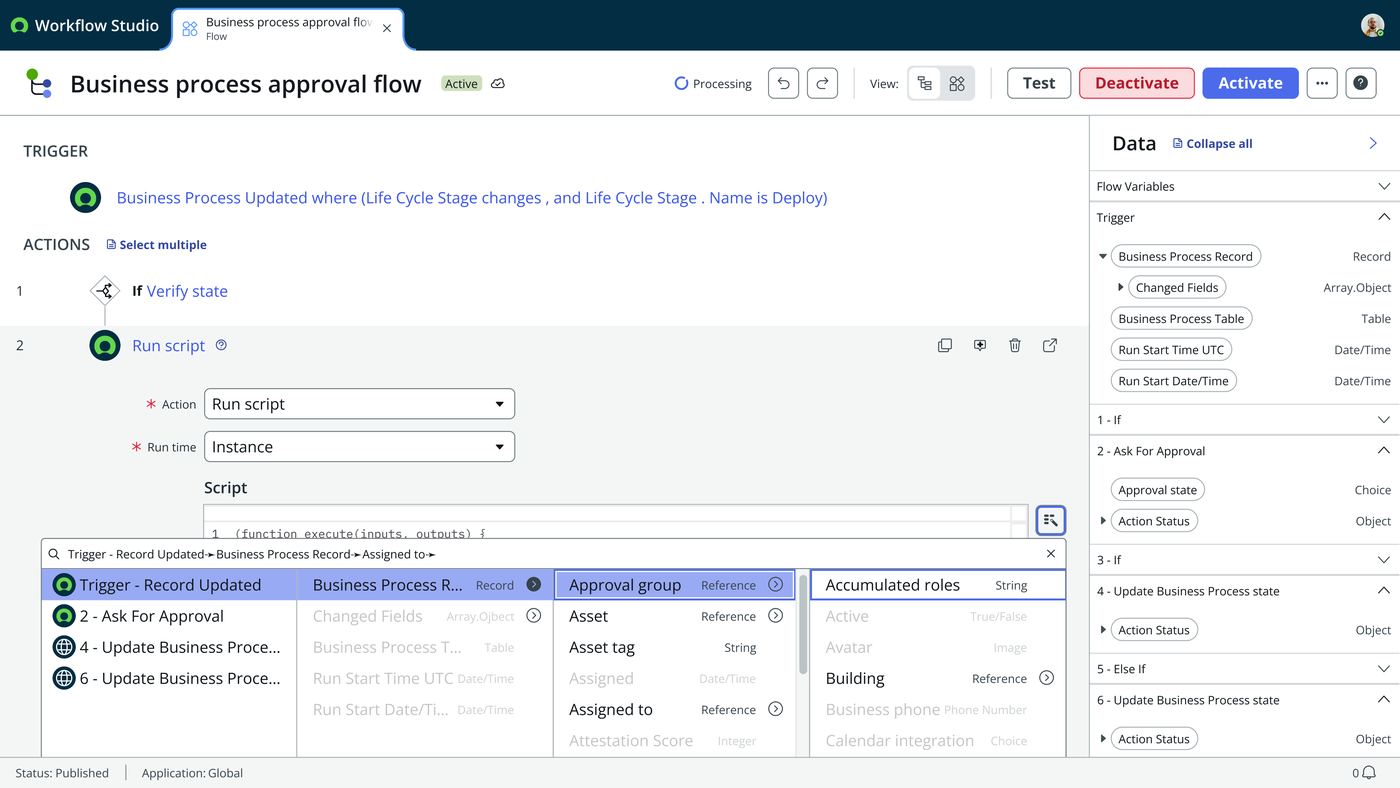
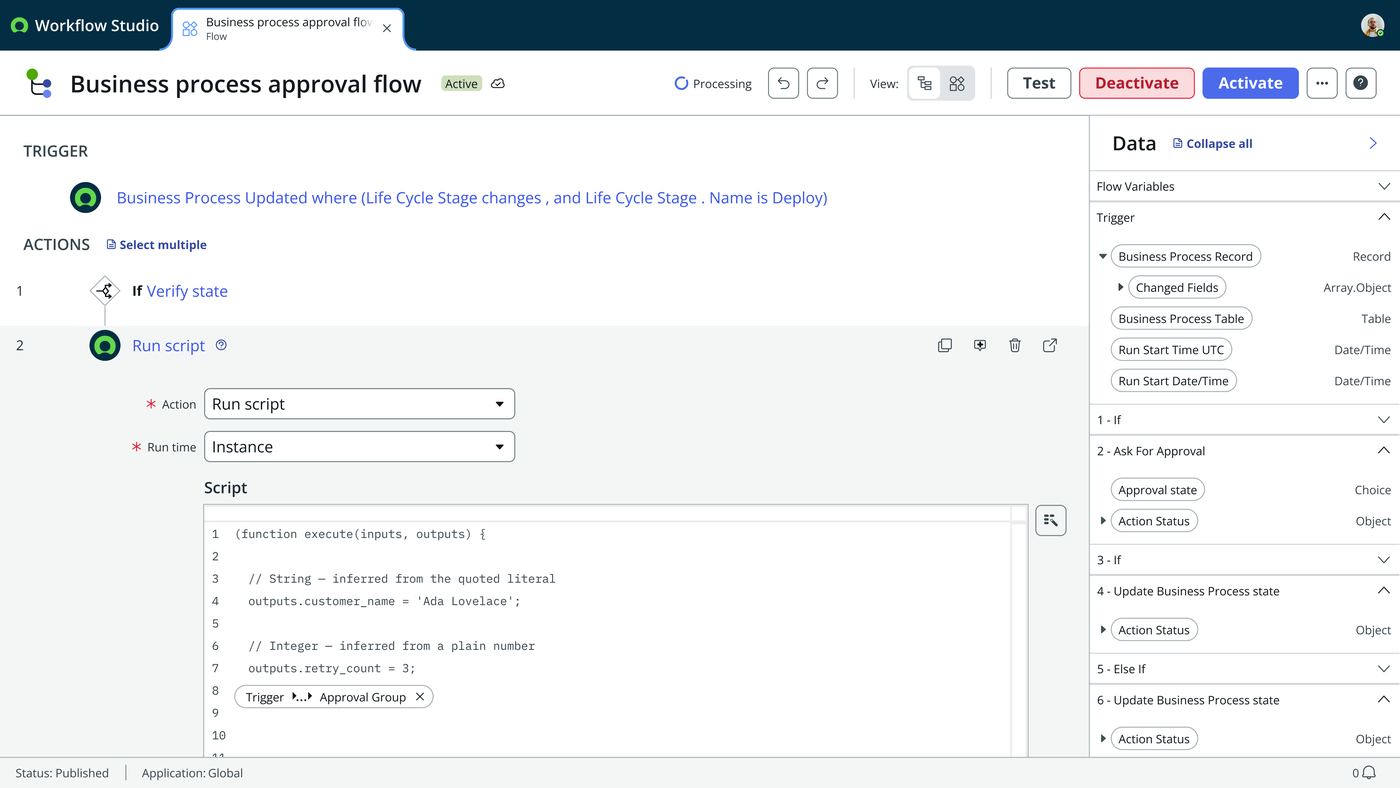
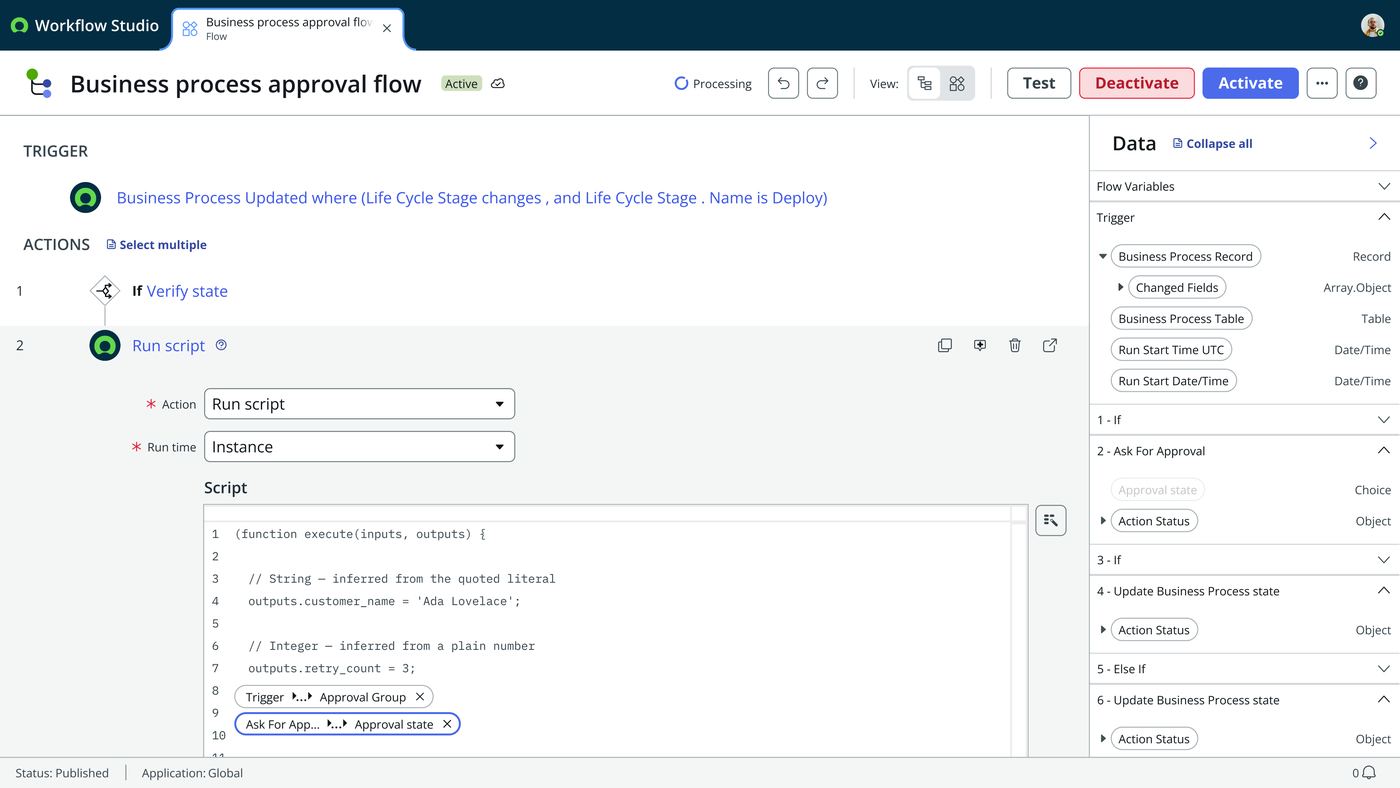
- Variation A, mapped inputs, PRD-aligned. Dragging a pill creates a named,
typed
inputs.xexplicitly bound to a flow variable, shown in a table symmetric with the outputs table (Label / Name / Type / Mapped from). Structurally consistent, explicit, auditable. - Variation B, inline pill, matching Flow Designer today. The pill embeds directly in the script as a ◆ token; the input list becomes an auto-generated, read-only summary rather than the primary surface.
- Naming the trade-off instead of picking a winner. Vanessa leans toward B, on consistency. Preserving the inline pill look means the script step does not feel like a foreign pattern. A is what the written PRD specifies. That is the real tension: written spec against platform-wide consistency. It is a values trade-off, not a right-or-wrong one.
Interaction walkthrough
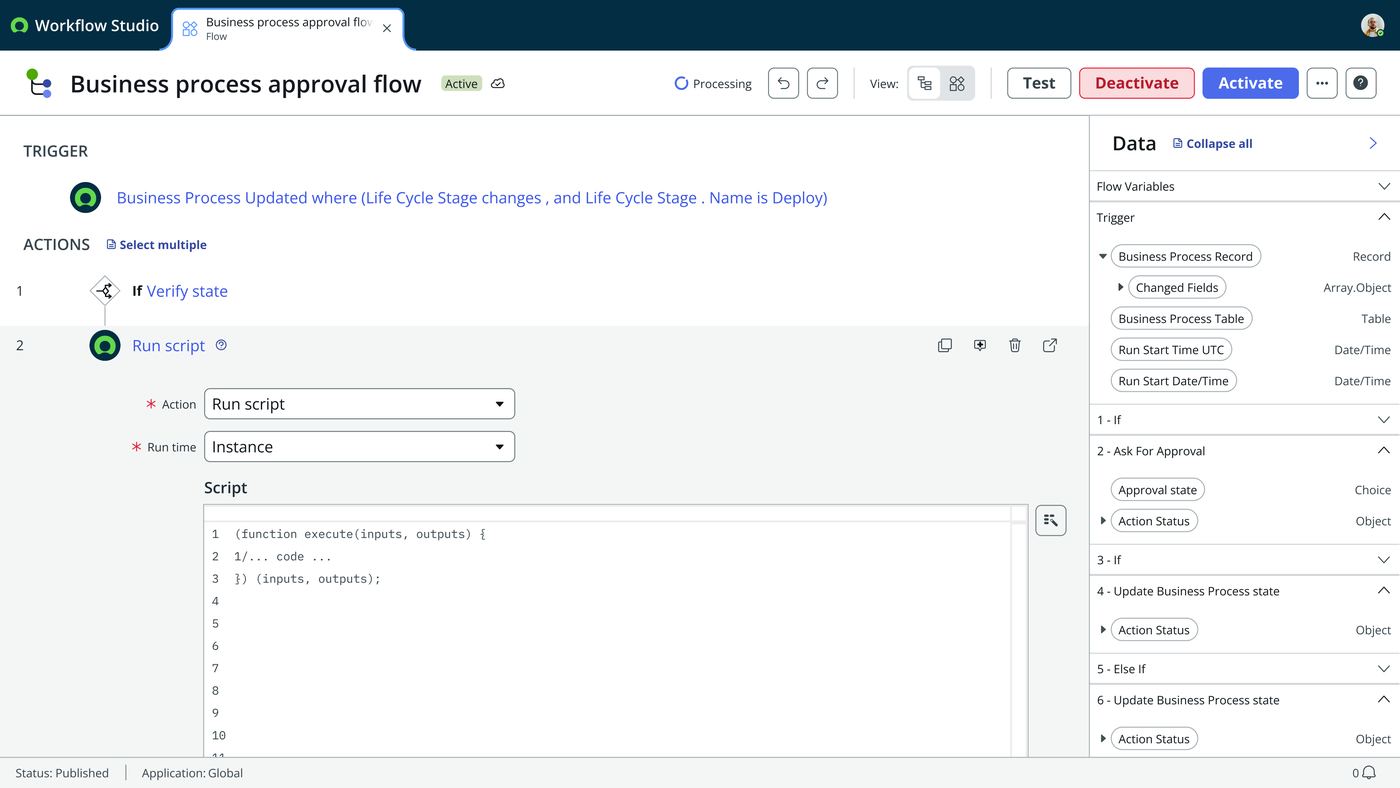
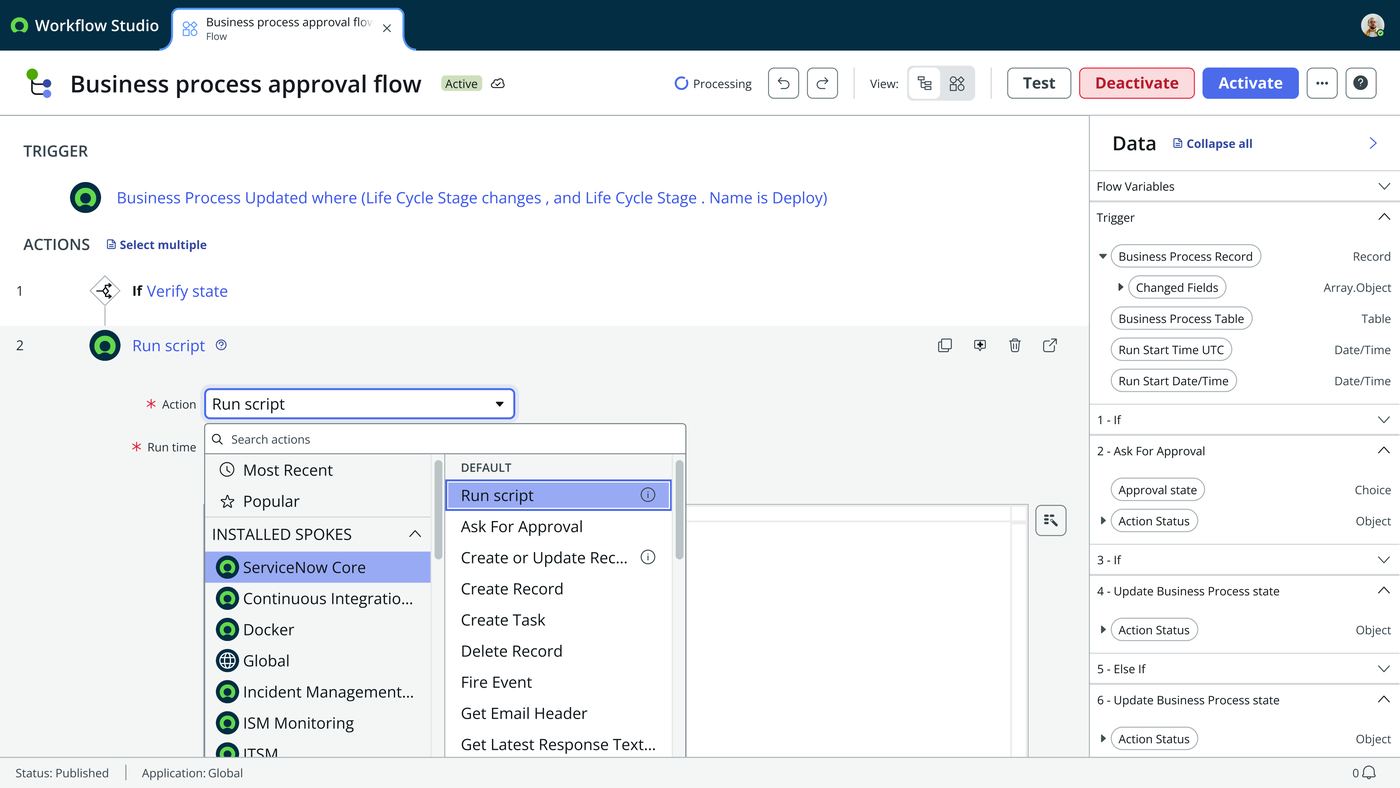
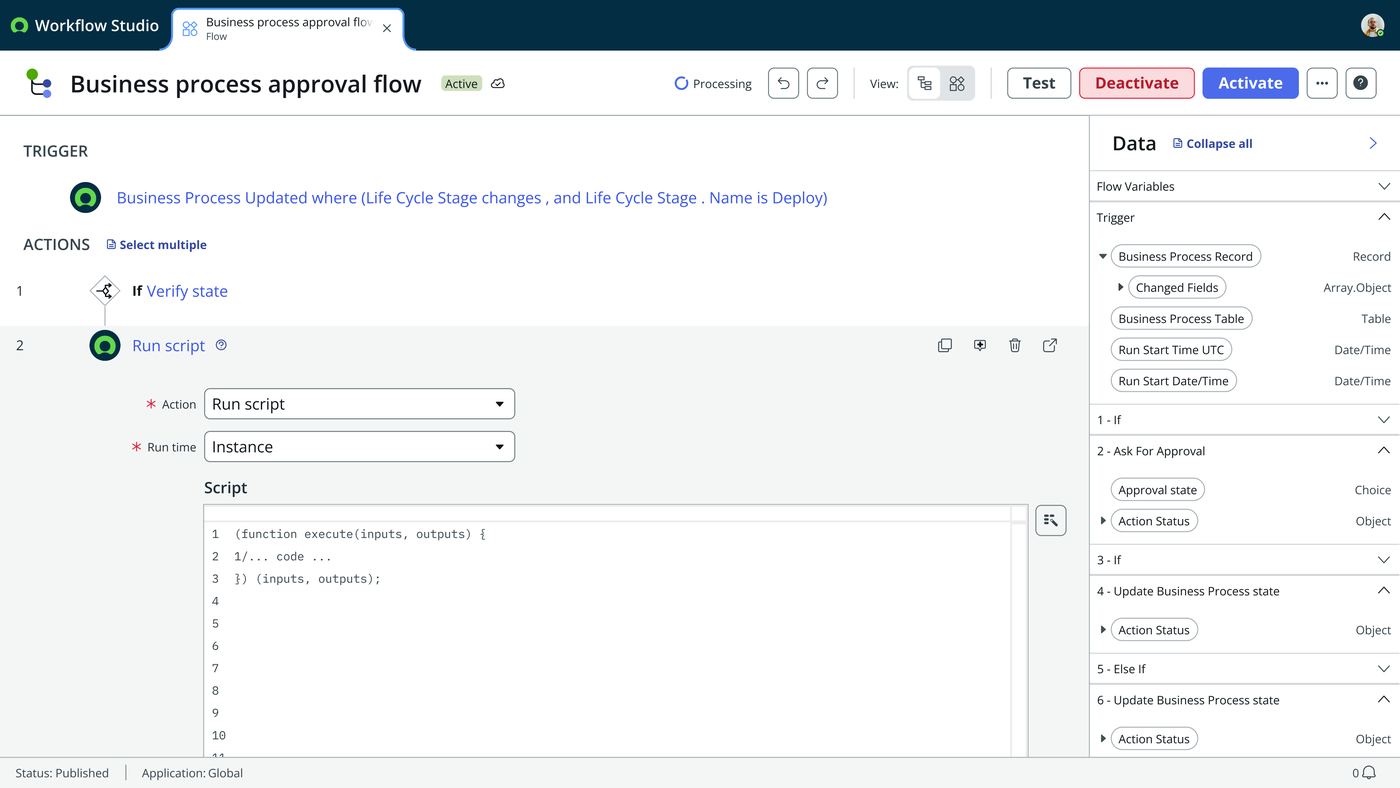
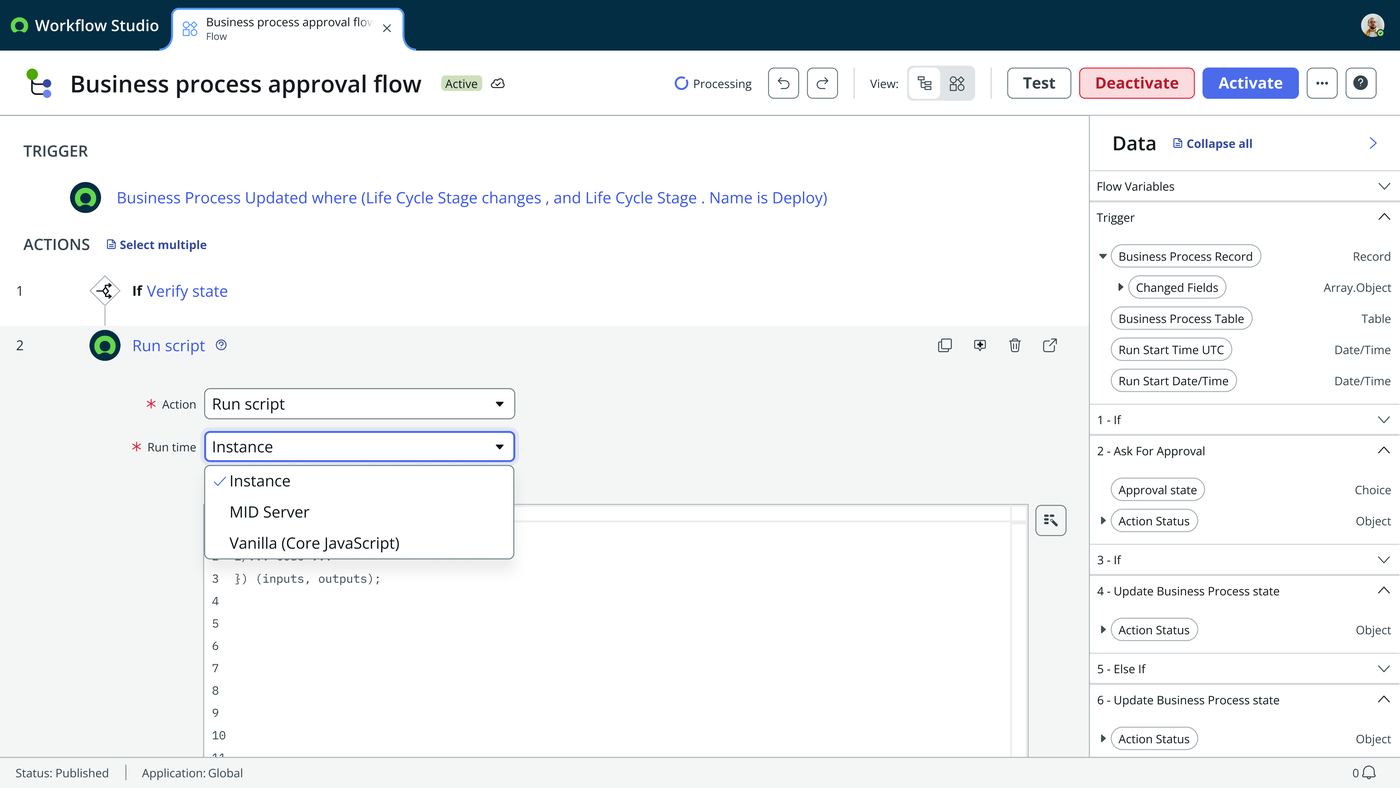
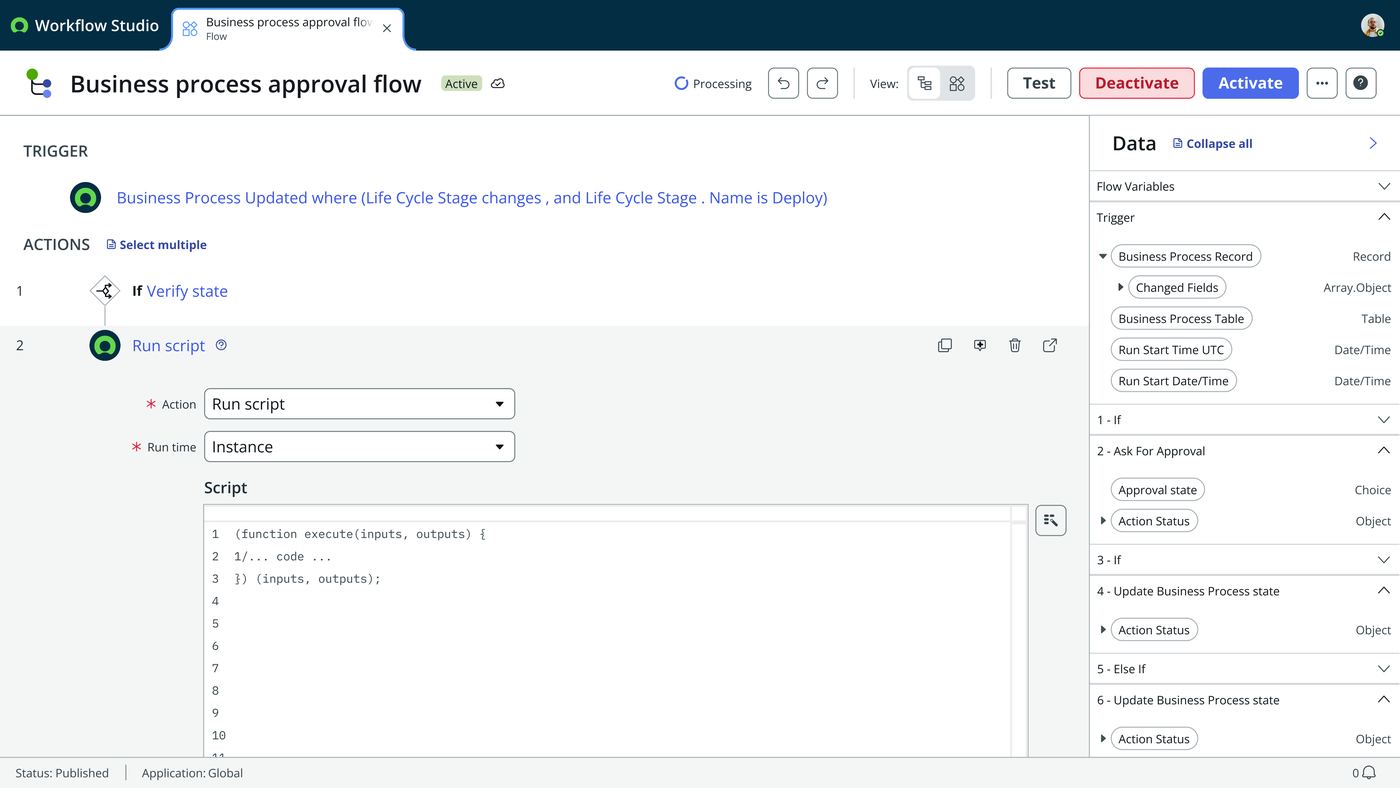
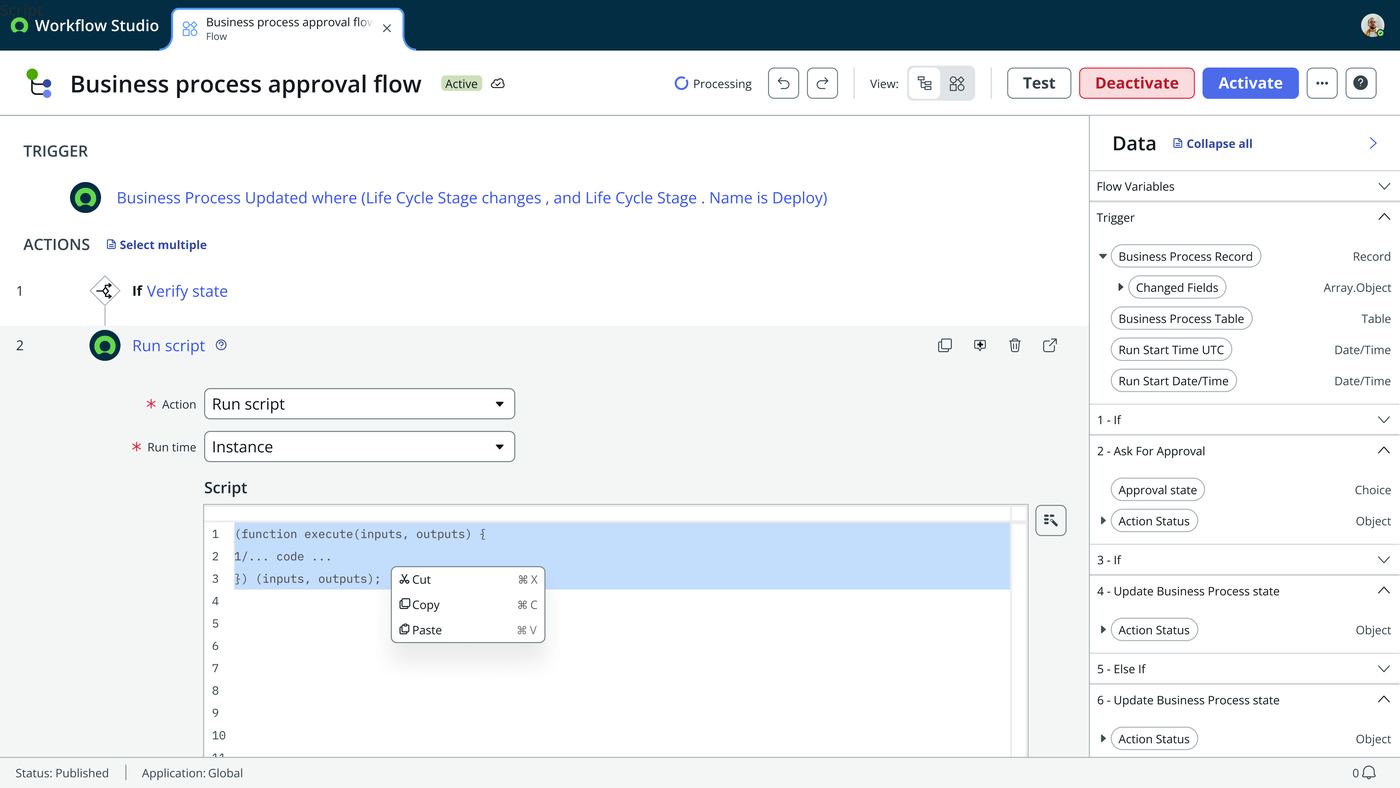
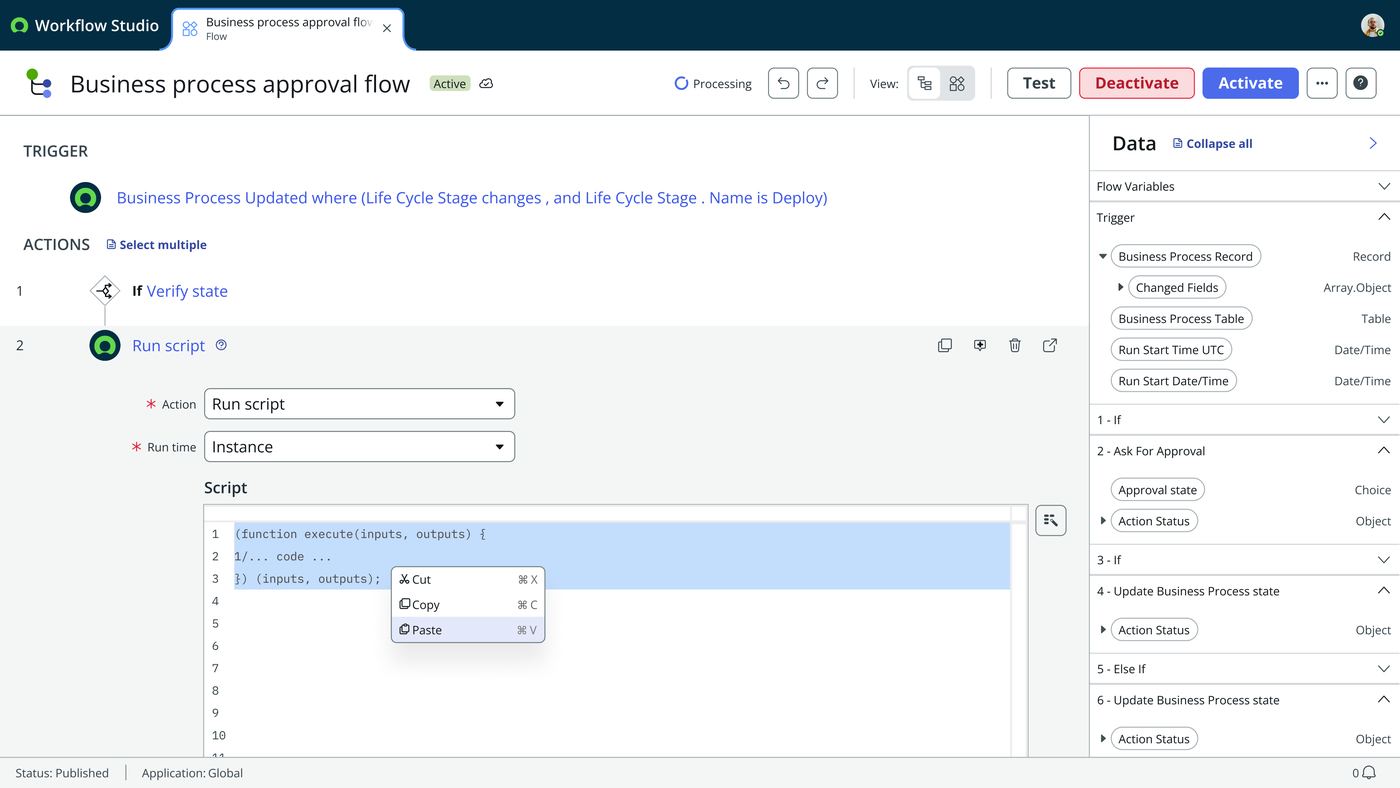
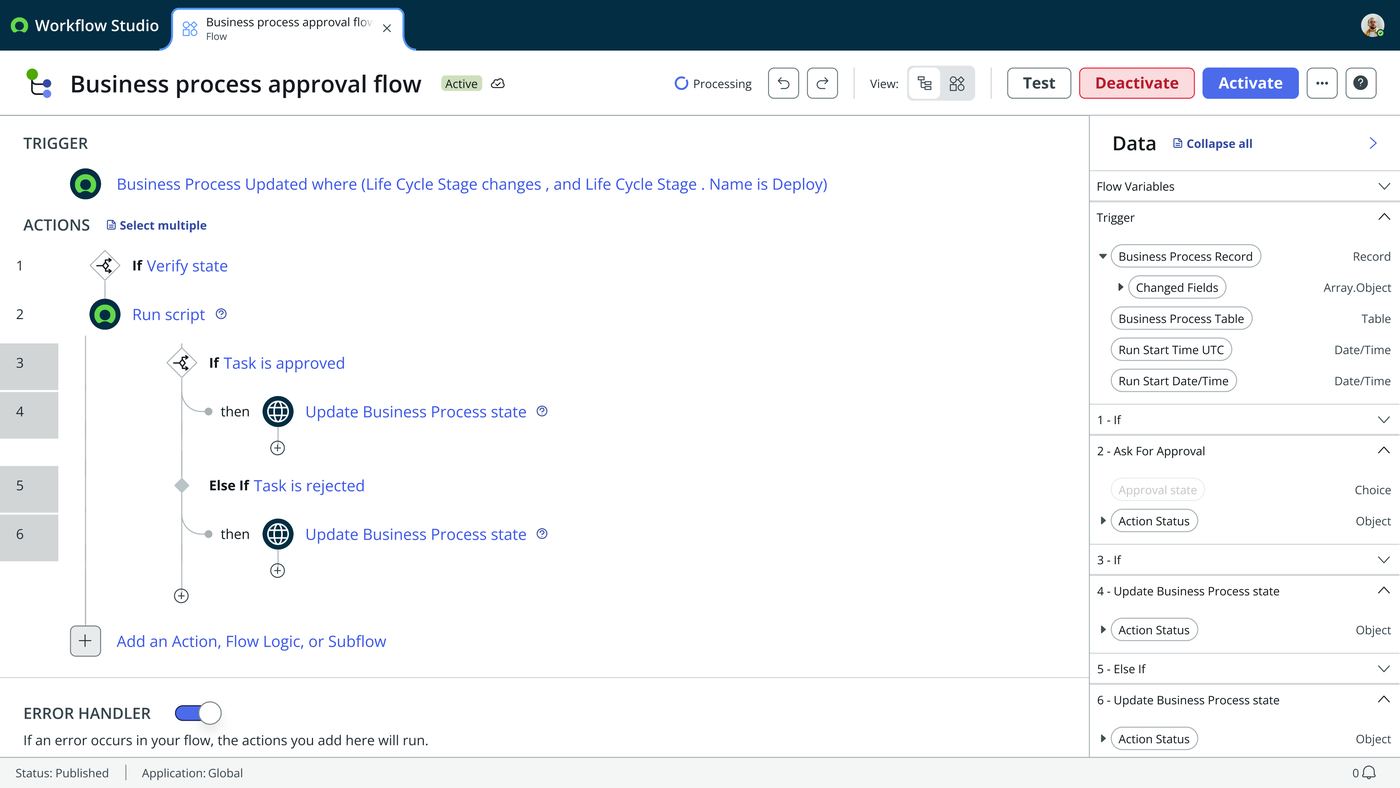
Twelve frames from the Run Script spec — the step being added to a real flow, the runtime carried over from Action Designer, and the output inference that lets a script declare its own typed outputs. Step through it, or let it play.
Worth noting against the open questions above: this deck shows the step exposing only Action, Run time and Script — there is no separate inputs table in any frame. That points toward the “remove the Input section” question having resolved one way, but one deck isn’t confirmation, so it stays listed as open.
User flows
- In a flow, need a script
- Leave Flow Designer
- Action Designer
- Build a wrapper custom action
- Return to the flow
- Reference the action
- Add step ▸ Run Script
- Write the script
- Drag in a data pill
- A named typed input, mapped from | B ◆ token inline
- Outputs inferred into a typed table
- Runtime: Instance / MID Server / Vanilla
- Error handling, same as any step
KPIs
round trips to Action Designer to run a script from a flow
throwaway wrapper actions created purely to hold a script
fully built variations on one shared editor, ready for a decision
items still unresolved at handoff, listed below
Still open
- The A-versus-B decision itself. The actual deliverable v2 was built to produce.
- The Mandatory column. Whether output variables genuinely expose one, or just Label, Name and Type. Kept in the prototype pending verification against the real Action Designer script step.
- The Input section. Whether it should be removed entirely. A late note flagged it ambiguously, and it needs clarifying against the PRD before acting.
- Pill parity. A pass against the reference screenshot, so the prototype’s pills match the product’s.