External Triggers
One interaction-design thread: separating “configure the connection” from “consume the trigger,” so a citizen developer never has to see an auth header.
Customer problem
Before External Triggers, the only way to fire a flow from a third-party event was REST API, Asynchronous. The source document is blunt about why that failed a no-code audience:
It requires user to provide authentication information, roles, request parameters, query parameters, headers, roles. This is not a scalable option.
It was also worse than merely complex. That configuration had to be redefined per flow: one external event definition each time, with the third-party system reconfigured to match.
The brief
Hide every one of those configurations from the citizen developer. Leave them the parts they came for: put conditions on a trigger, consume the response, build the flow.
All these configurations would be abstracted from a citizen developer who has come in to define an automation workflow that triggers based on events happening in a third party and they can simply provide conditions on these triggers and consume the response and define their flows.
Source document
Personas
Integration owner
Admin, sets it up once- Does
- Installs the spoke, authorises the inbound connection. Once per integration, not once per flow.
- Accepts
- A setup screen carrying real configuration weight. That is their job.
Citizen developer
Builds flows, repeatedly- Does
- Picks a trigger, drags in a condition, builds the flow.
- Never sees
- Auth, roles, endpoints, headers, query parameters.
Solution
- Split one job into two, along the persona line. Defining the connection means auth, endpoint and roles. That happens once, done by whoever sets up the integration. Consuming the trigger means picking it, adding conditions and building the flow. That happens repeatedly, done by whoever builds automations. REST API–Async had bundled both into one person’s lap.
- The setup side is distinct and contained: install the spoke, find it under Workflow Studio ▸ Connections ▸ Inbound Connections, authorise it once.
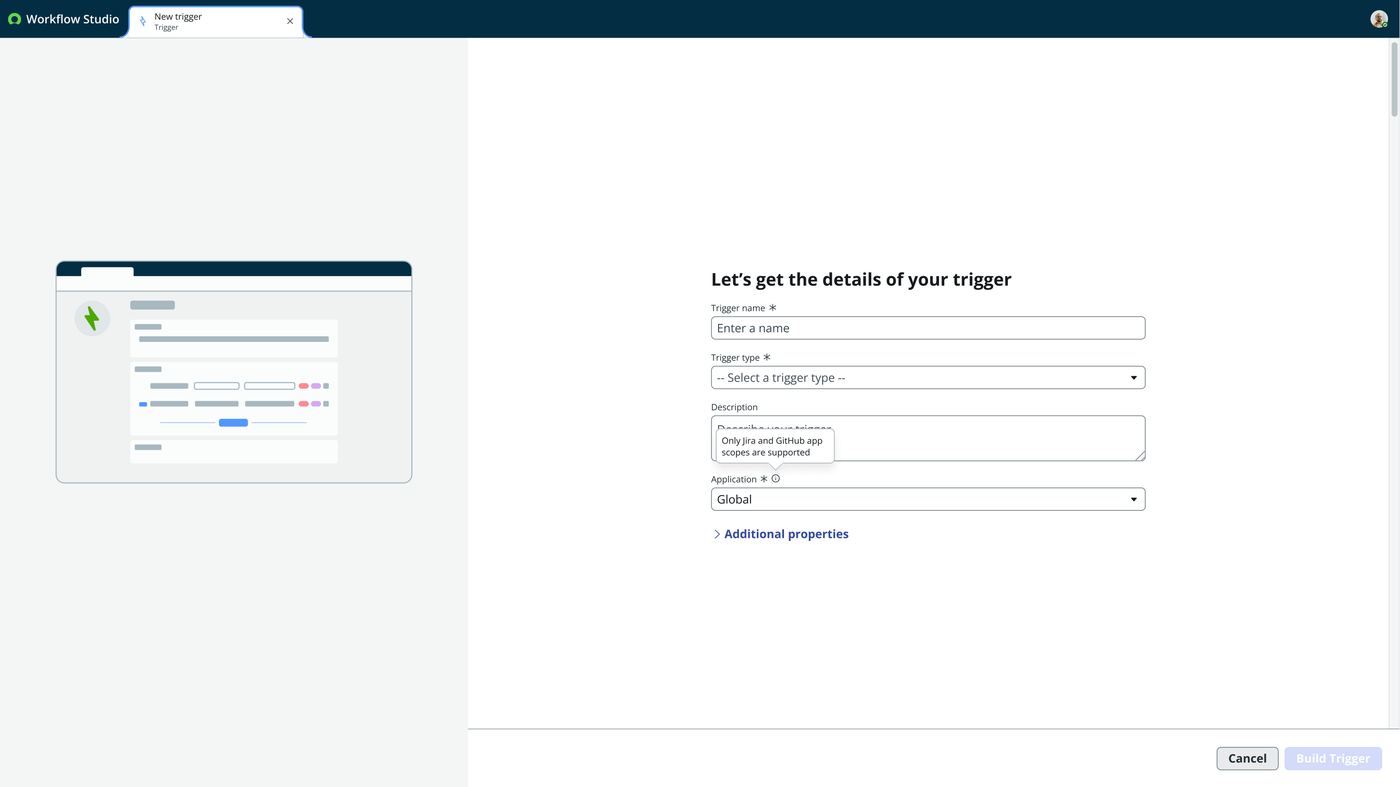
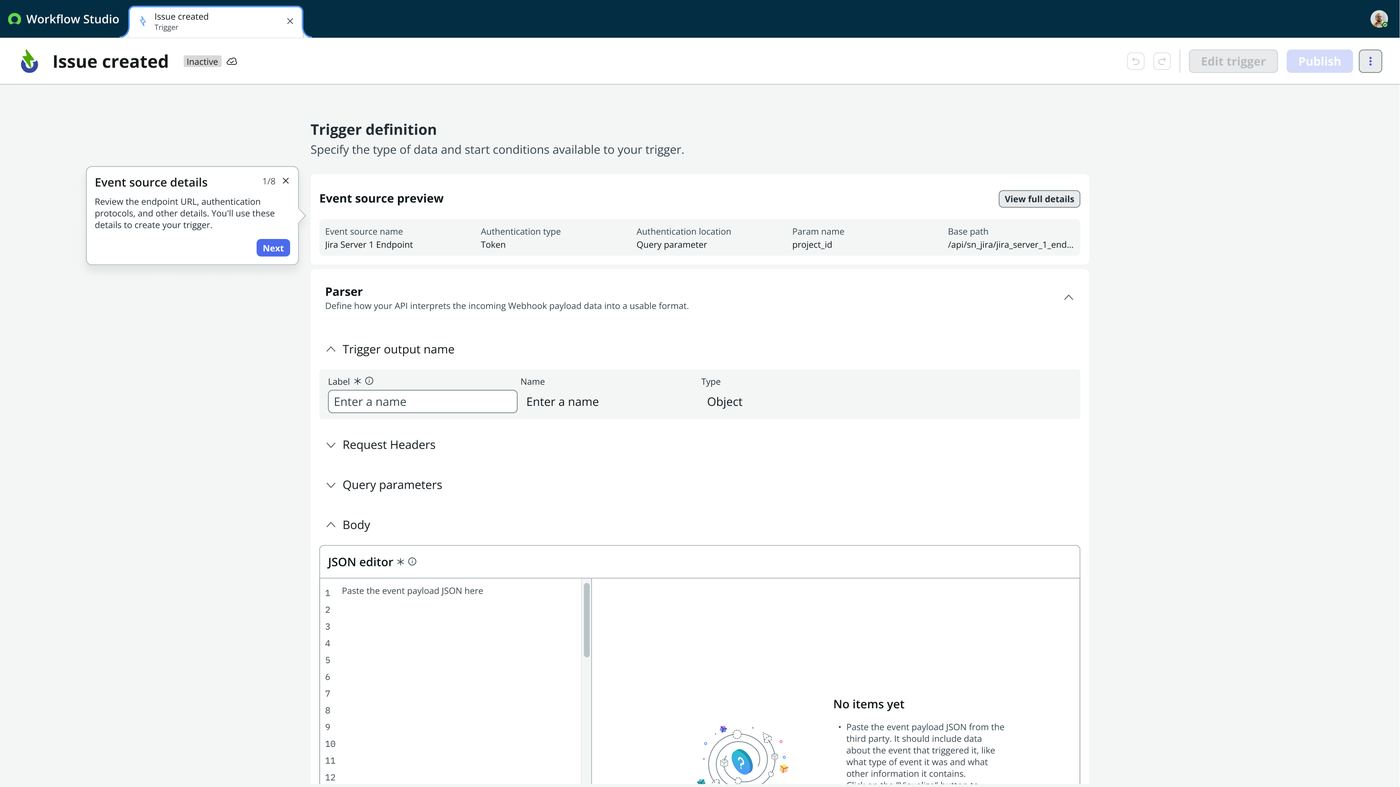
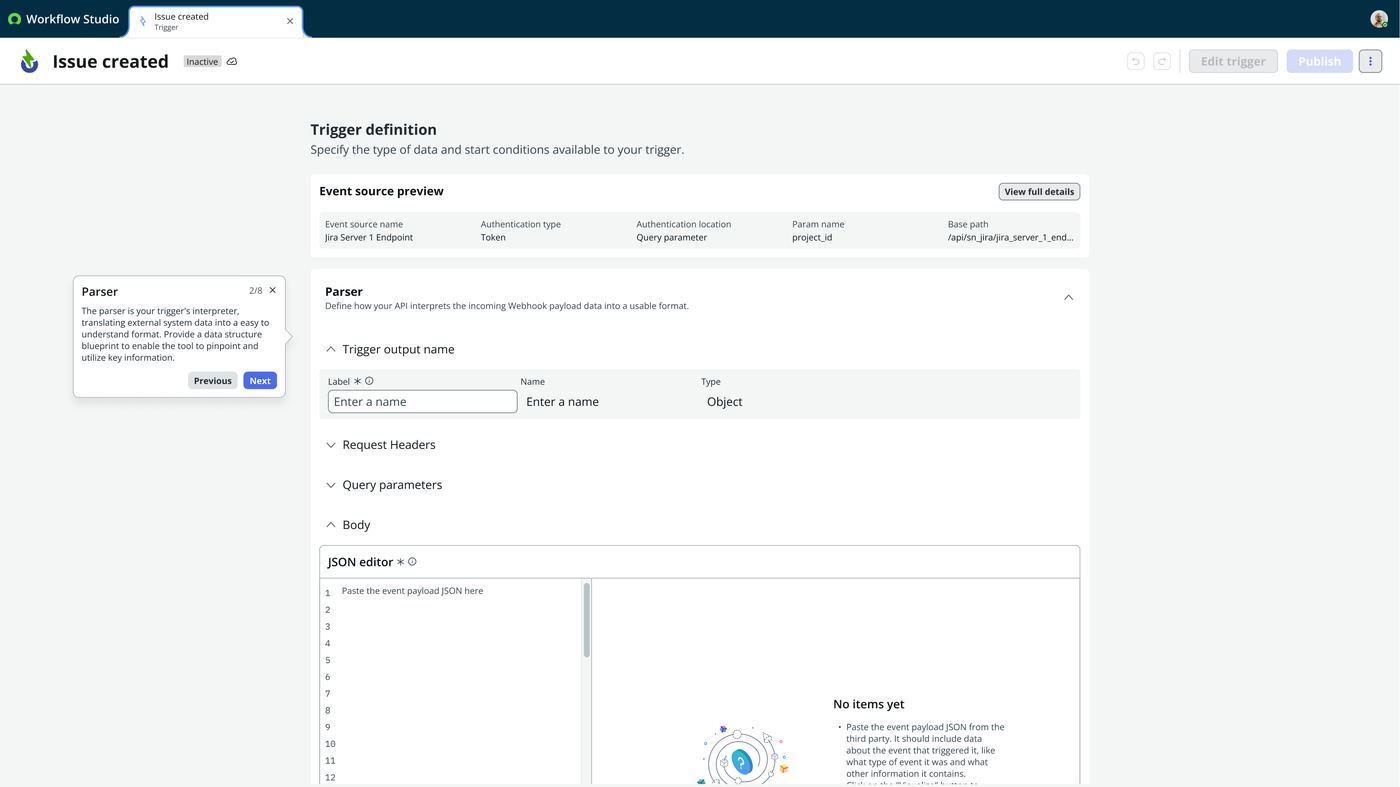
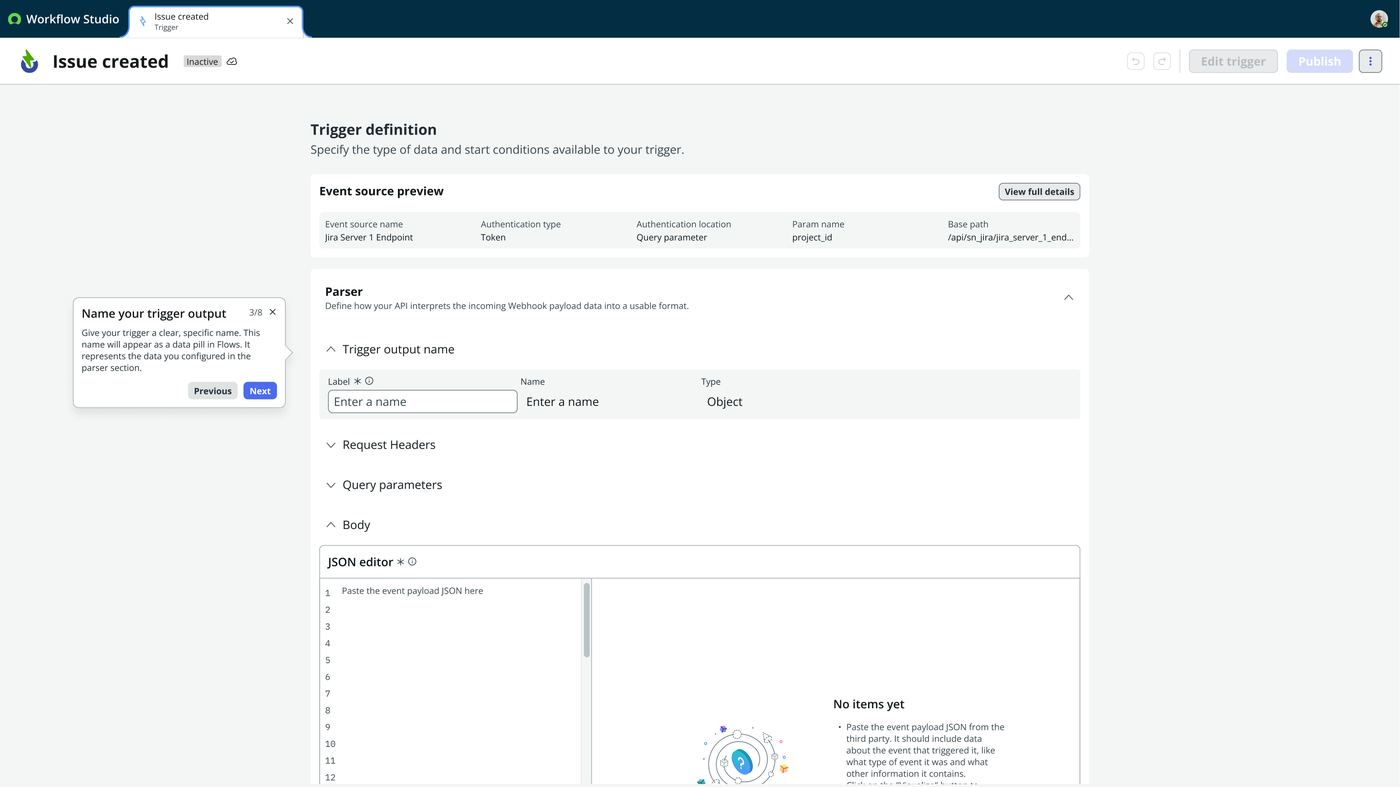
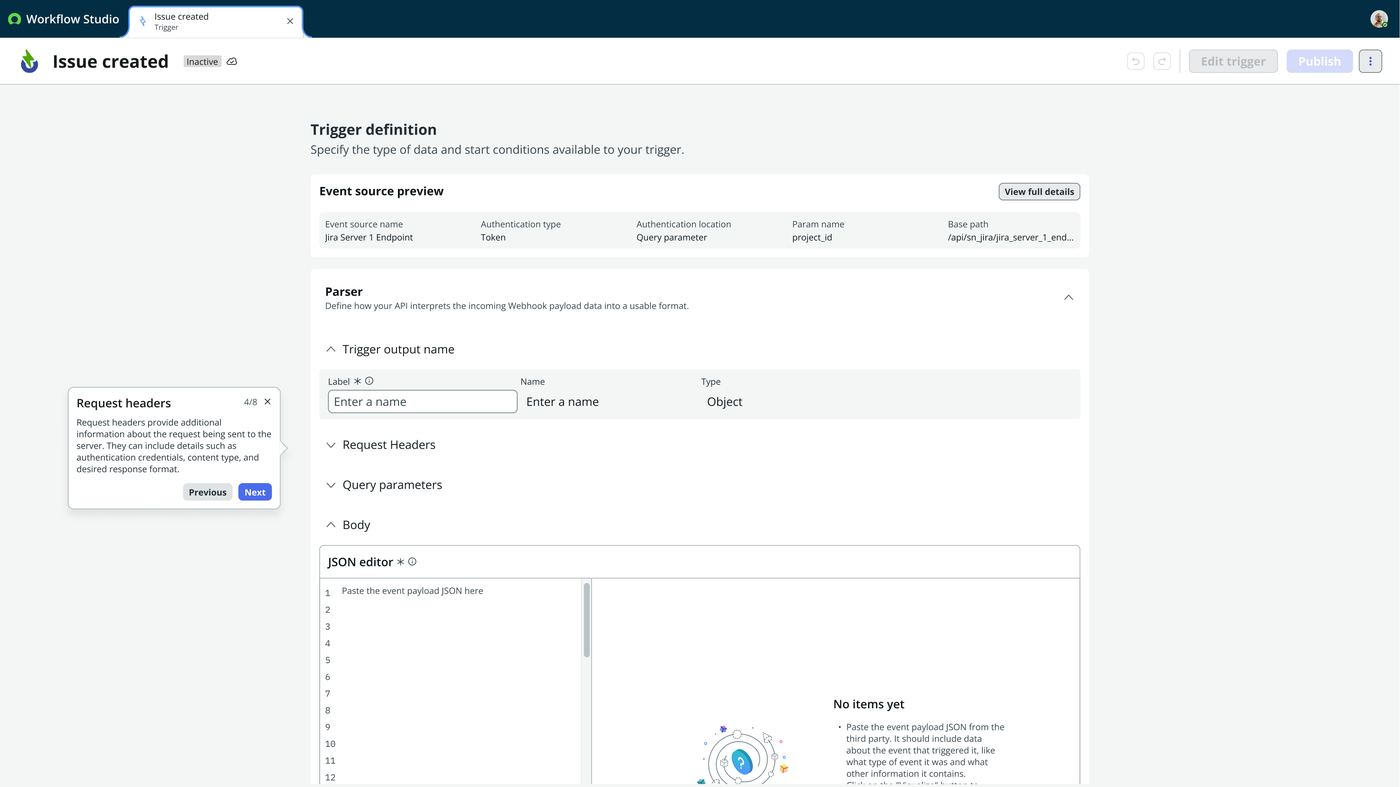
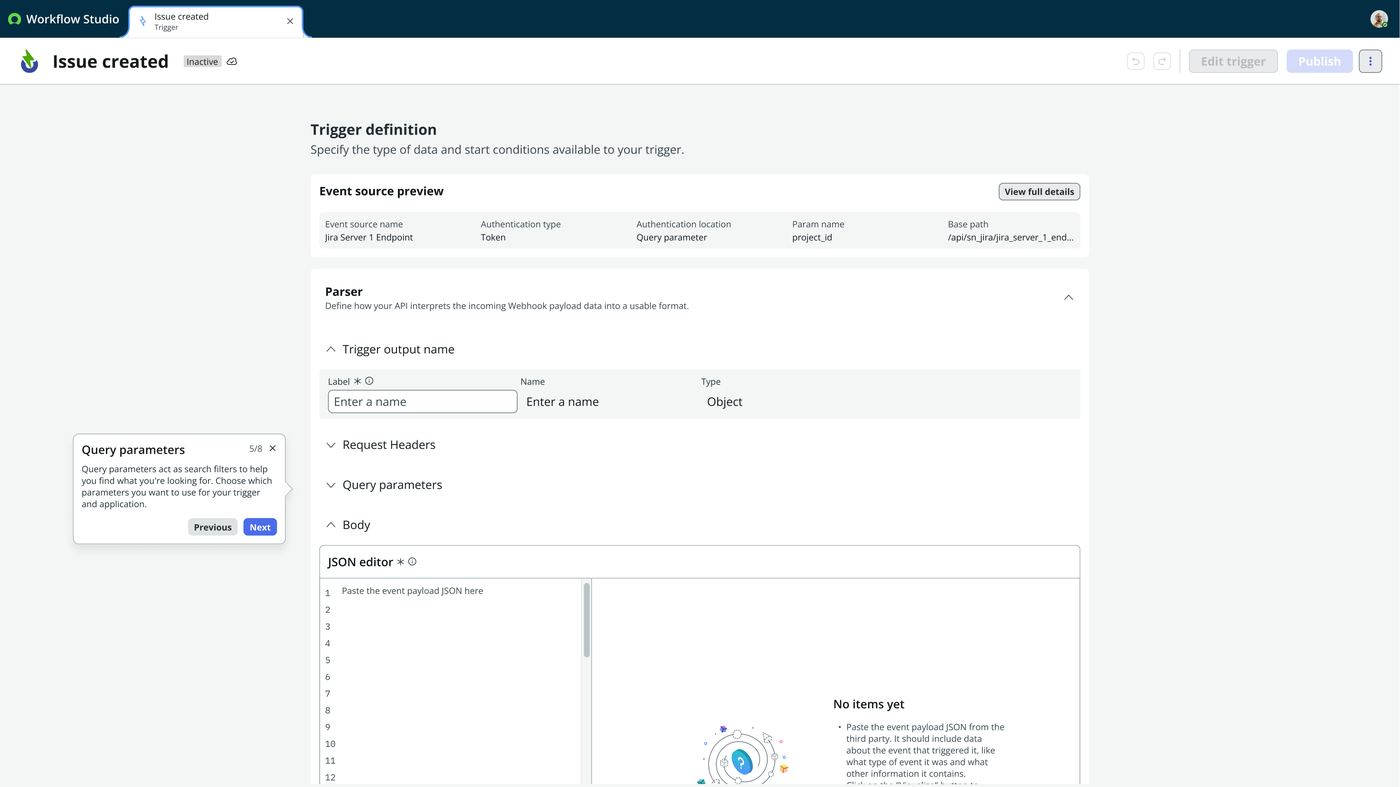
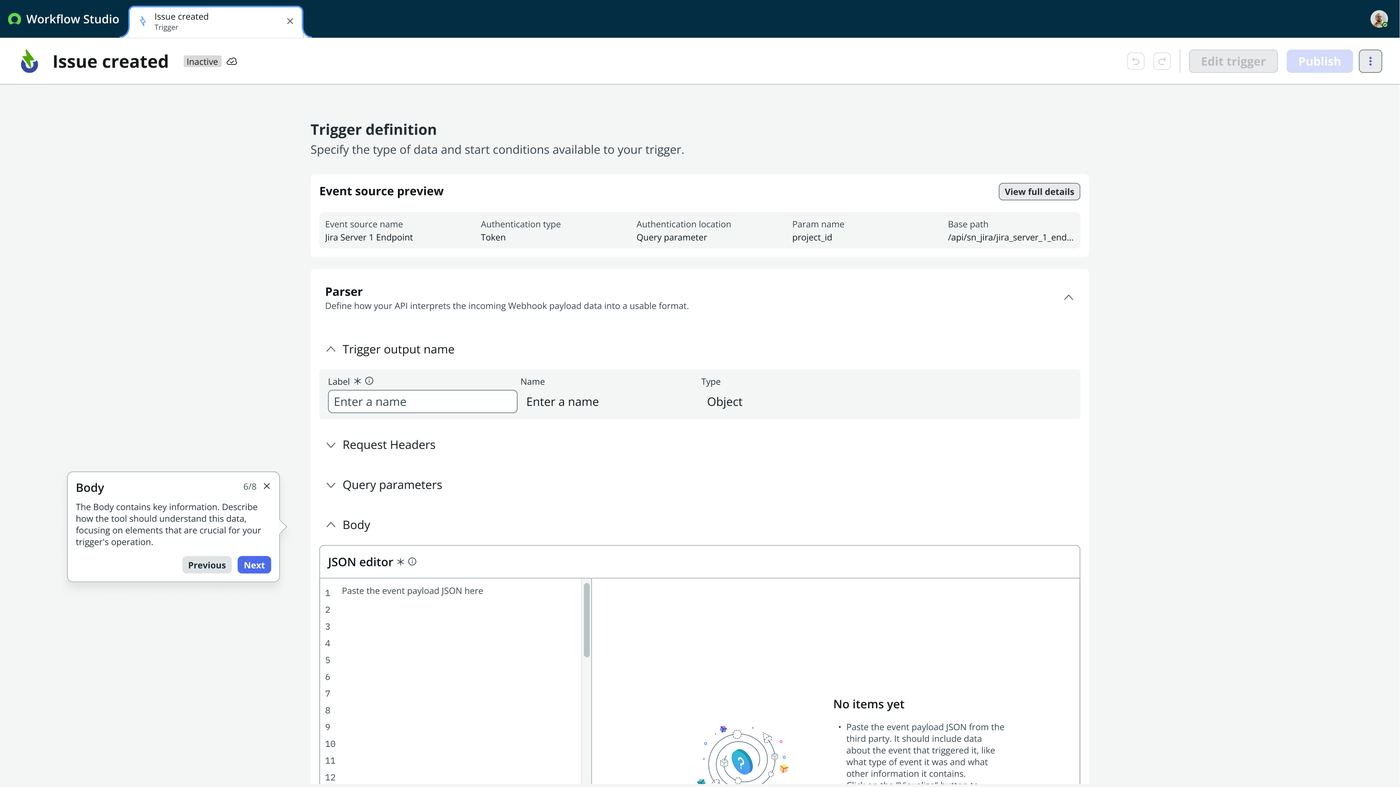
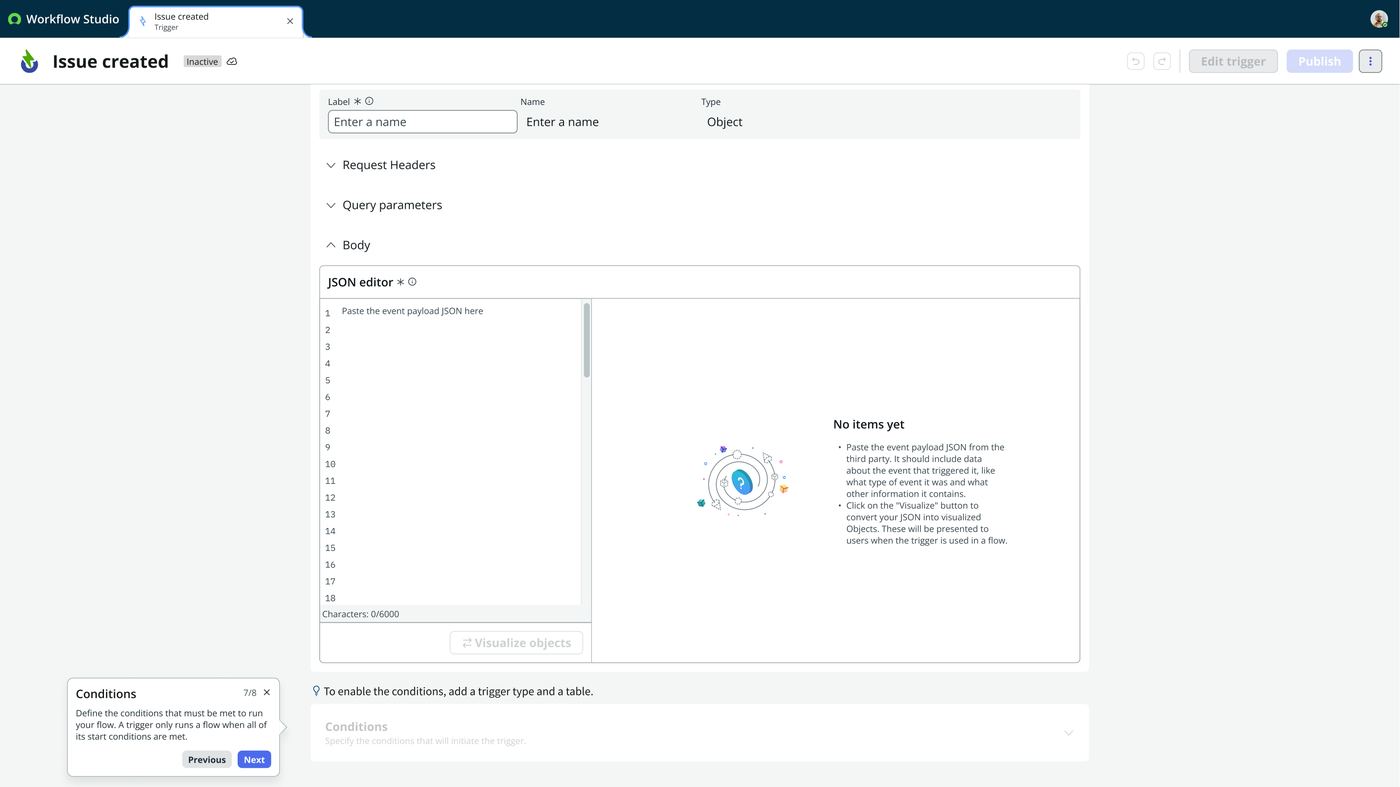
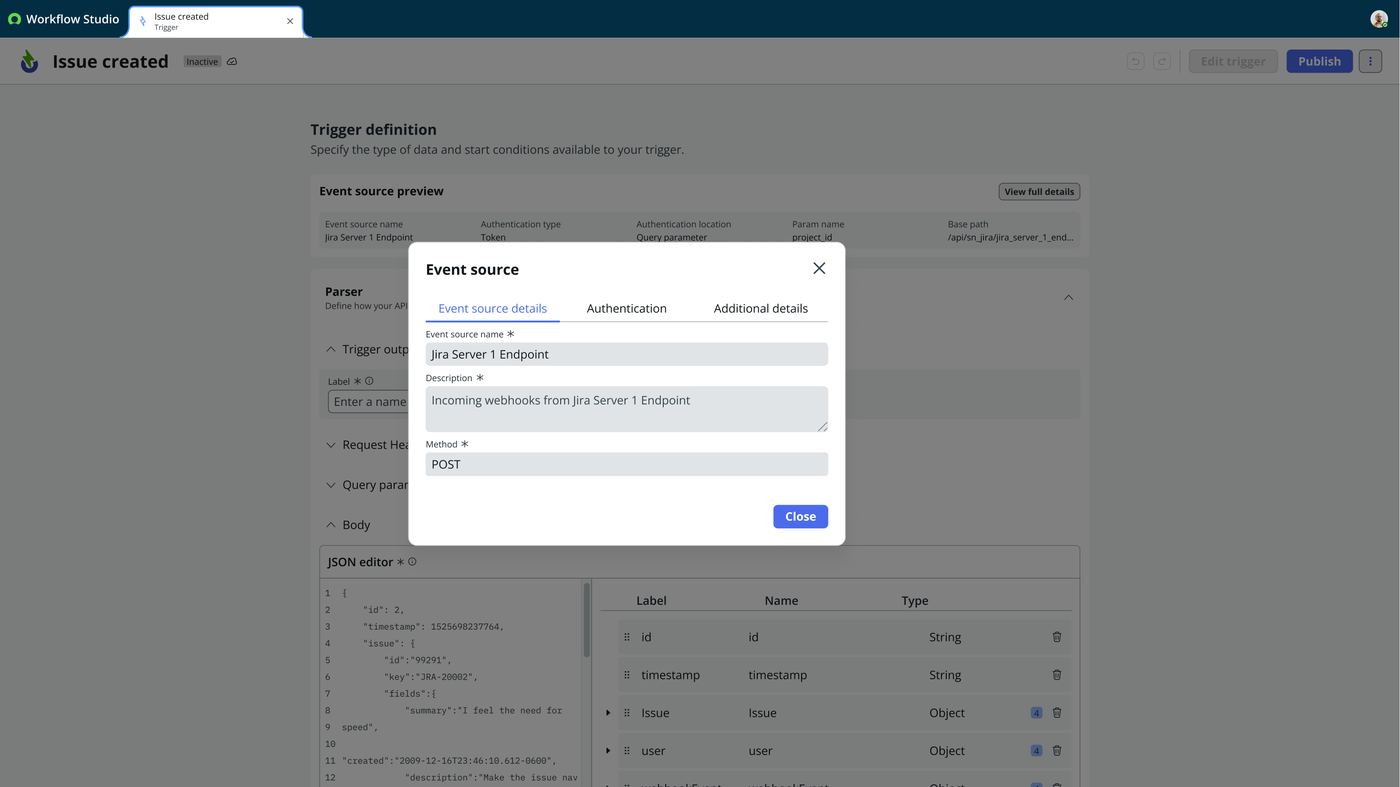
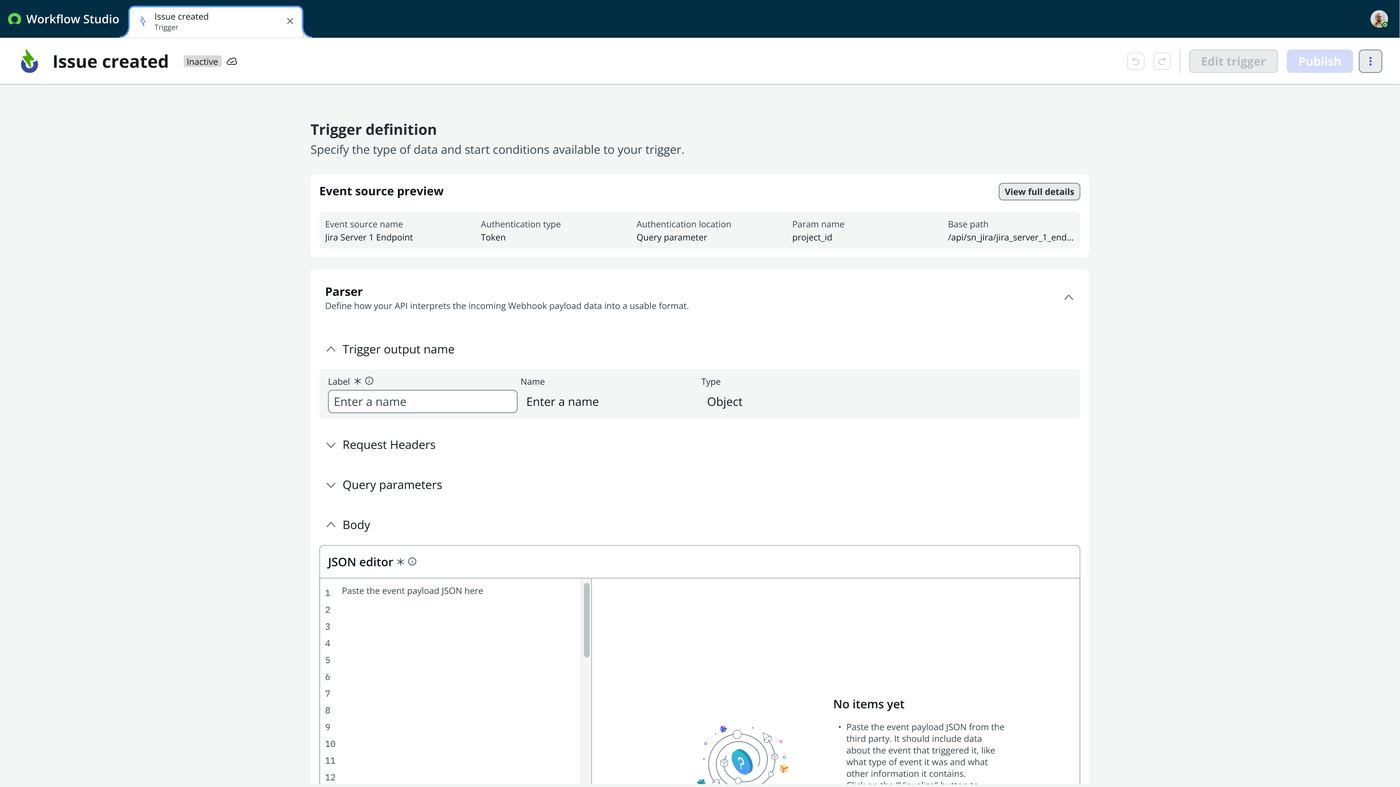
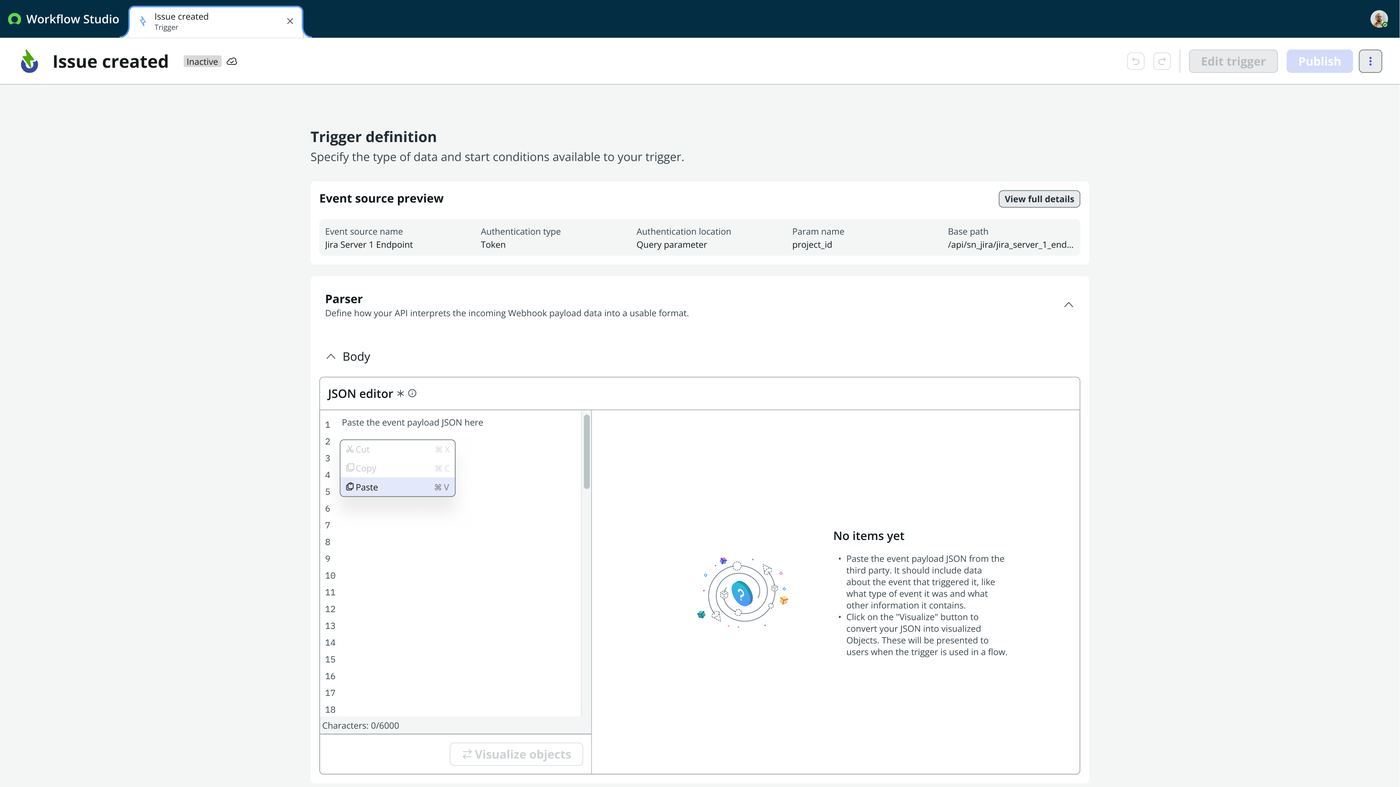
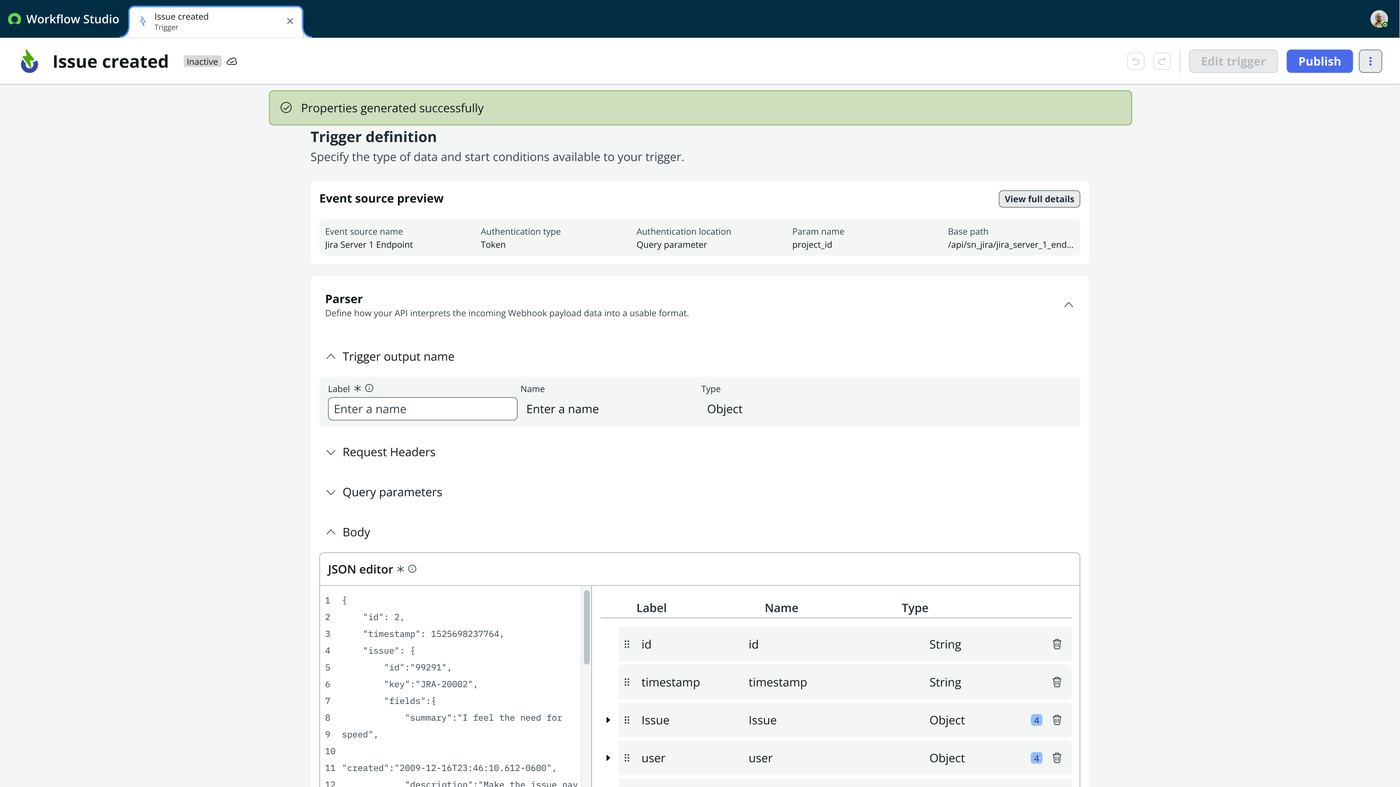
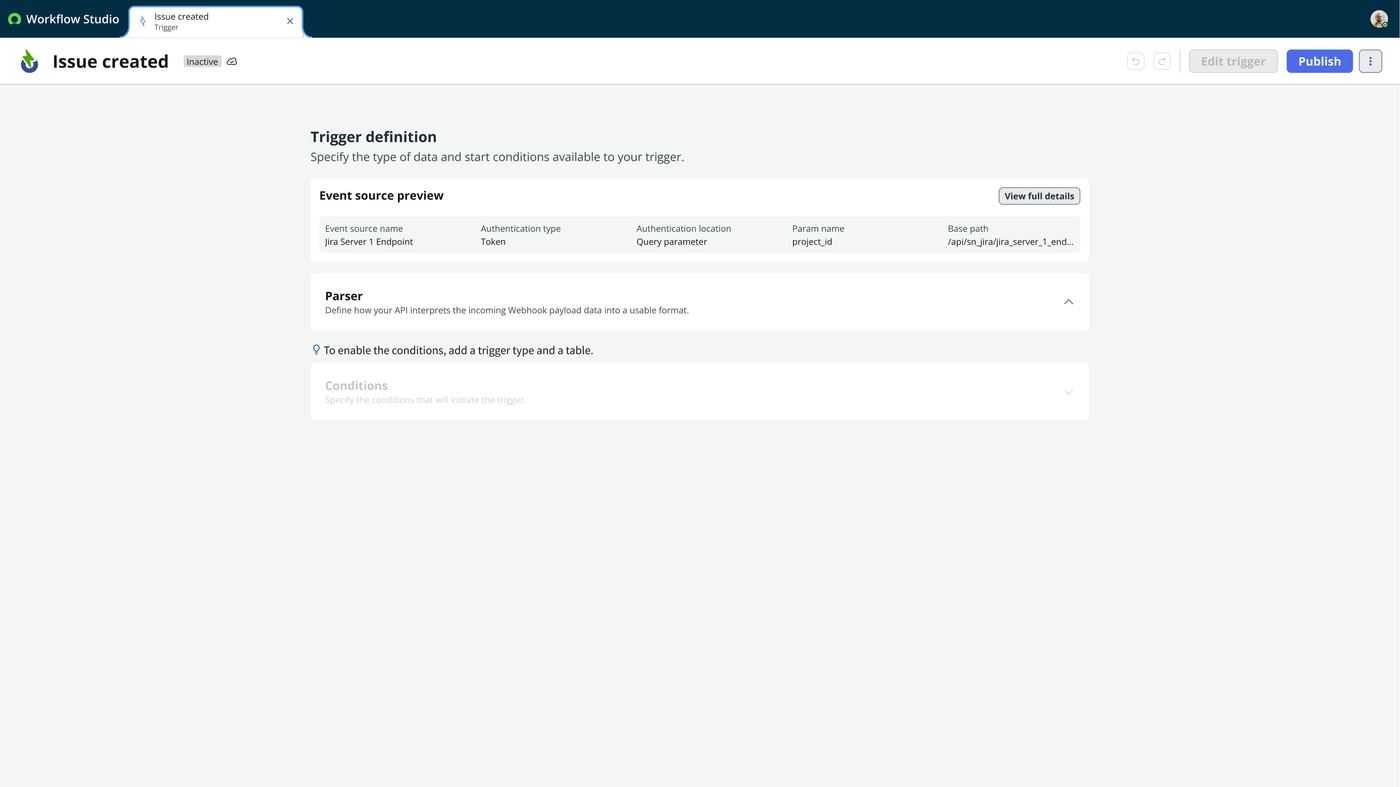
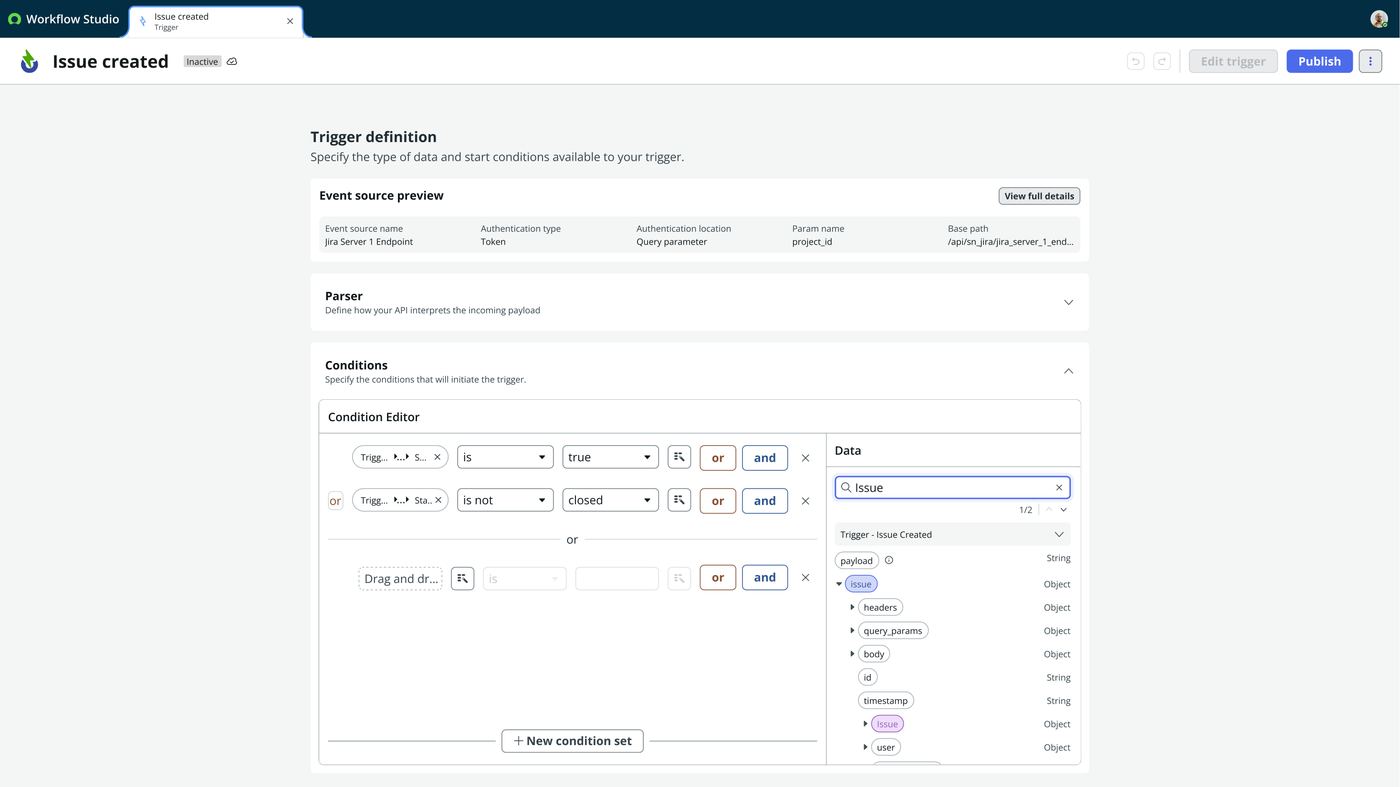
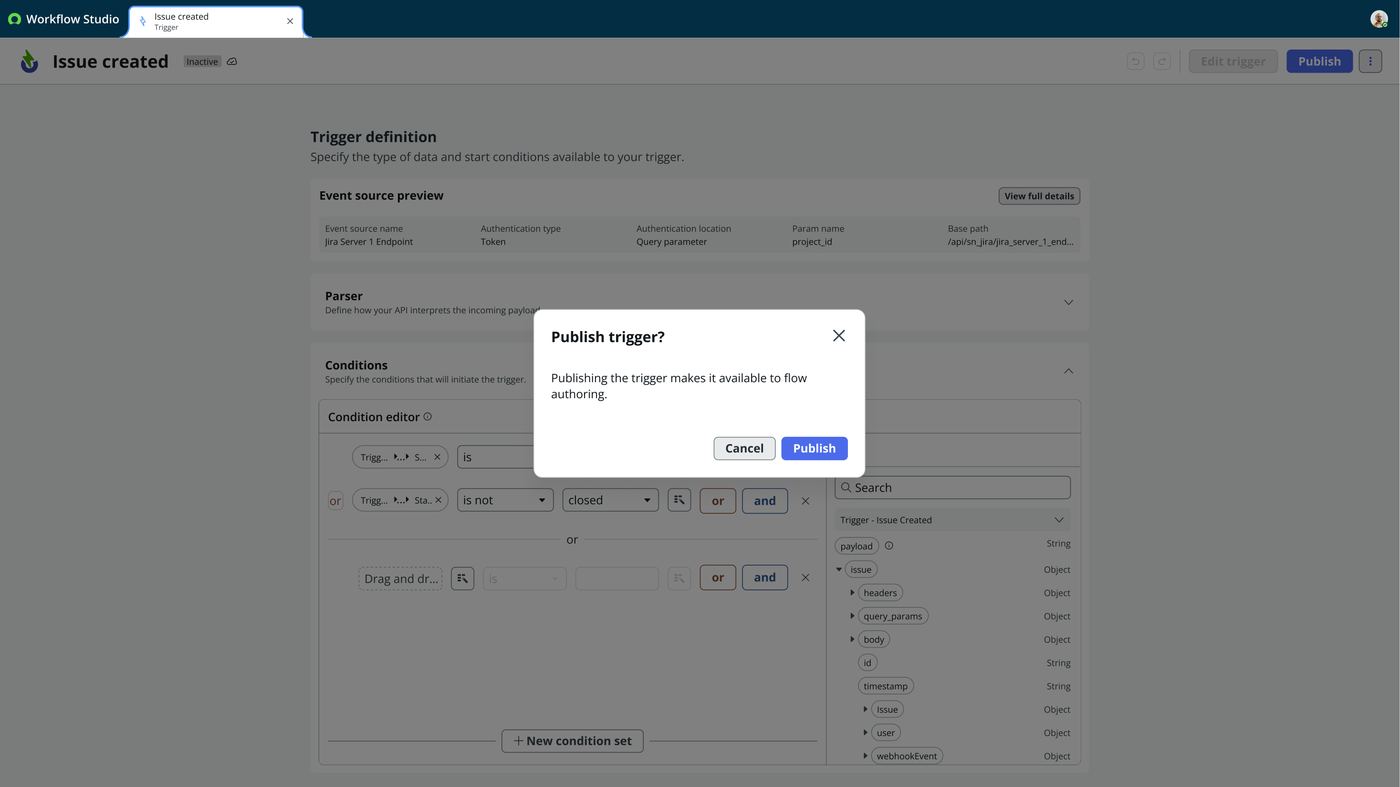
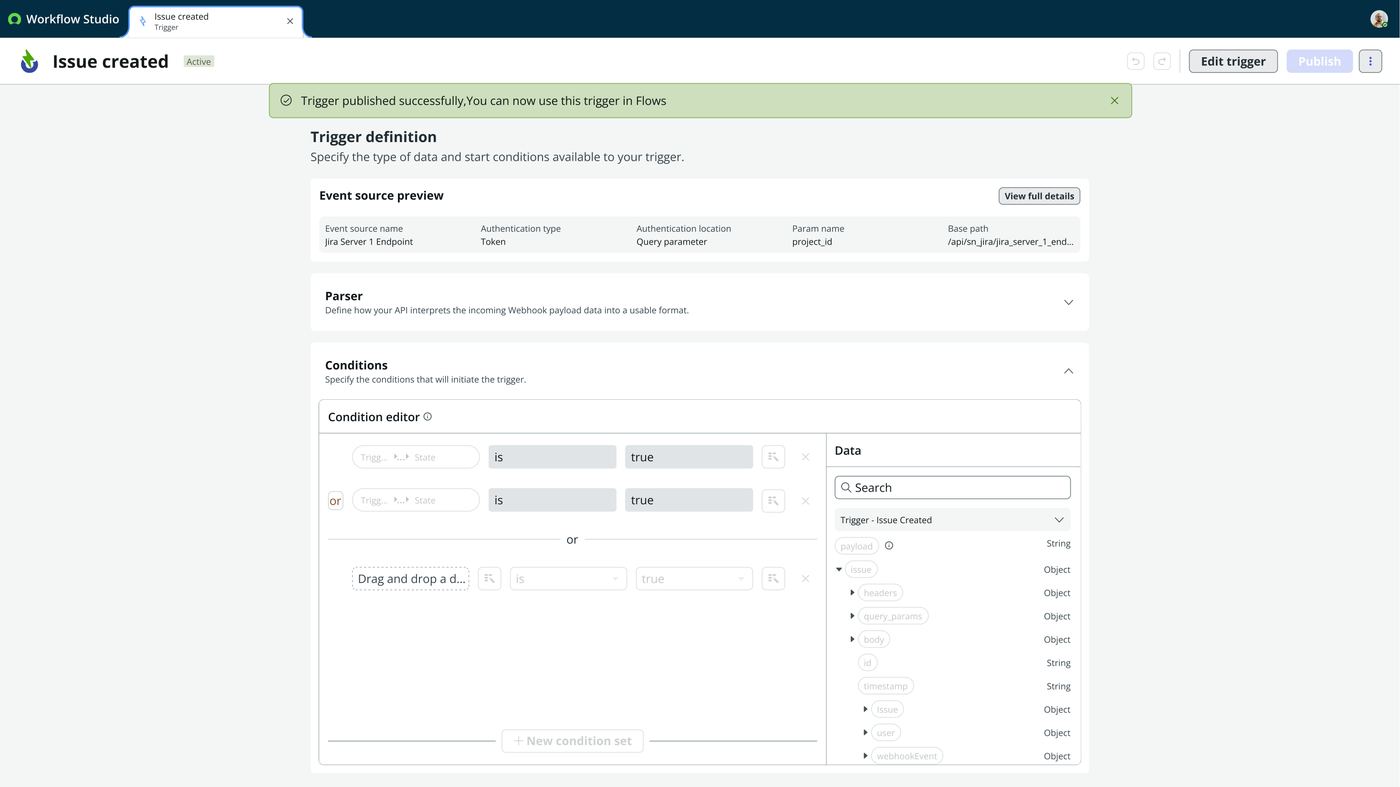
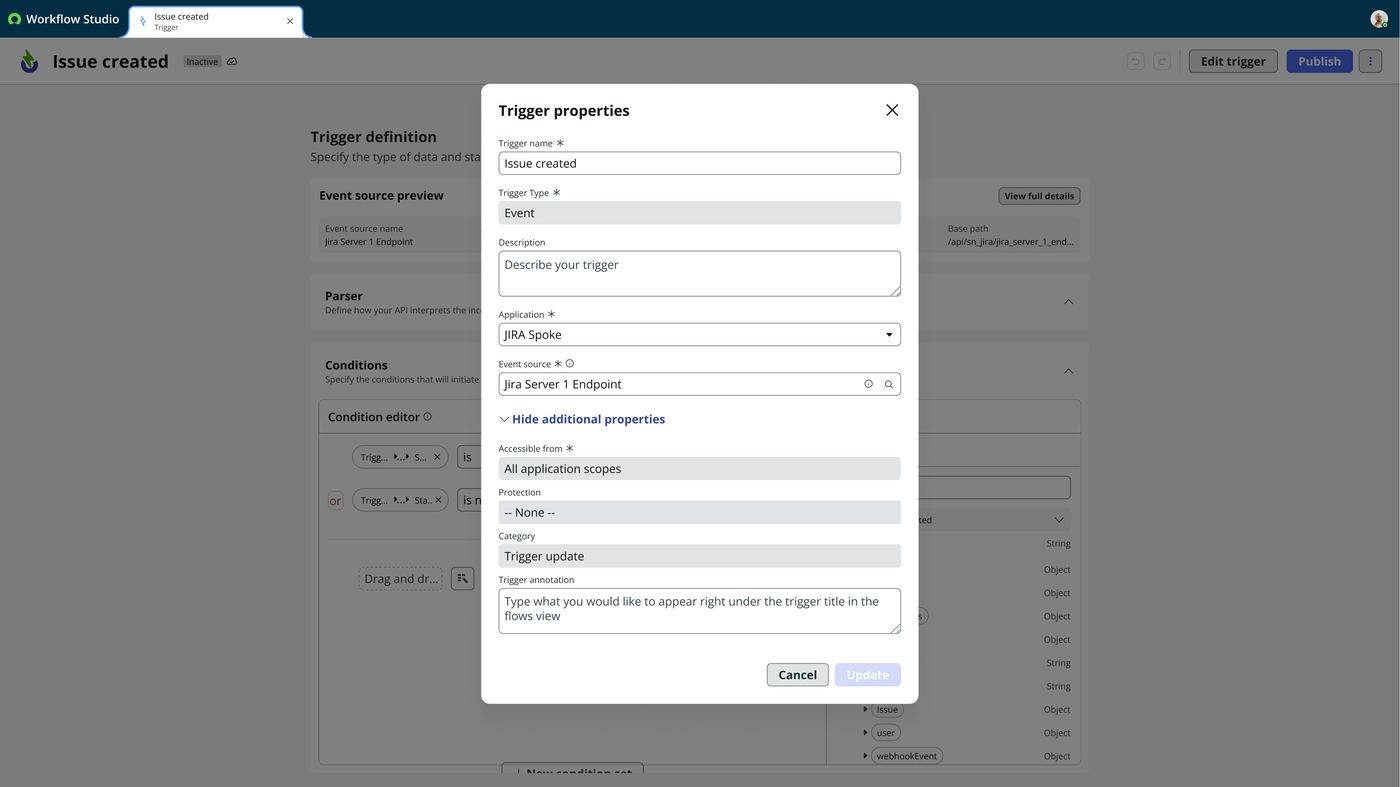
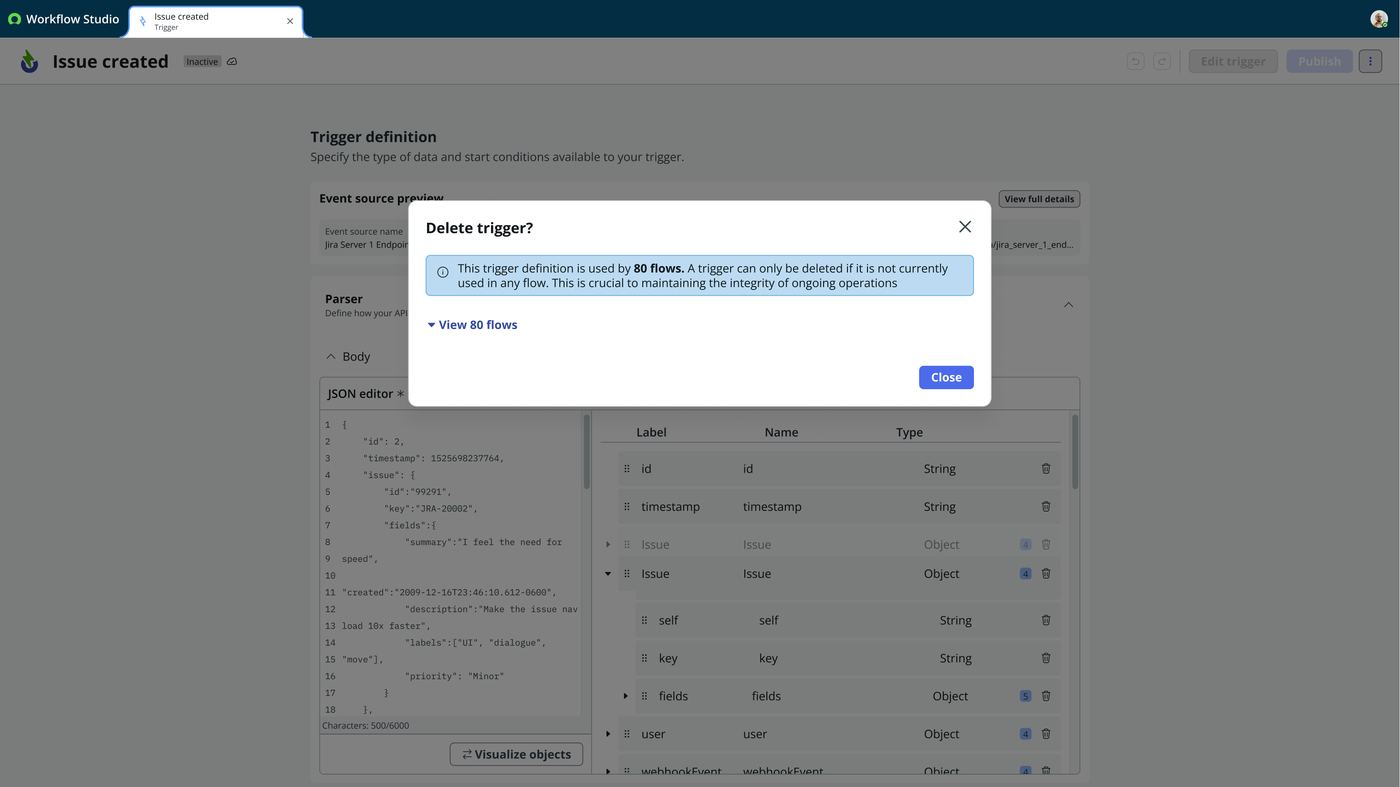
- The configuration that remains is guided and pre-filled, not a blank form. This is the part the licensing document does not capture and the interaction spec does. REST API–Async handed one person a form and a list of things to supply: authentication, roles, request parameters, query parameters, headers. The trigger designer instead pre-fills everything the event source already knows. That covers the endpoint URL, the authentication type and location, the param name and the base path. It then walks the author through the rest in a seven-step guided tour: event source details, parser, output name, request headers, query parameters, body, conditions. Same concepts, reframed from supply these to review and confirm these.
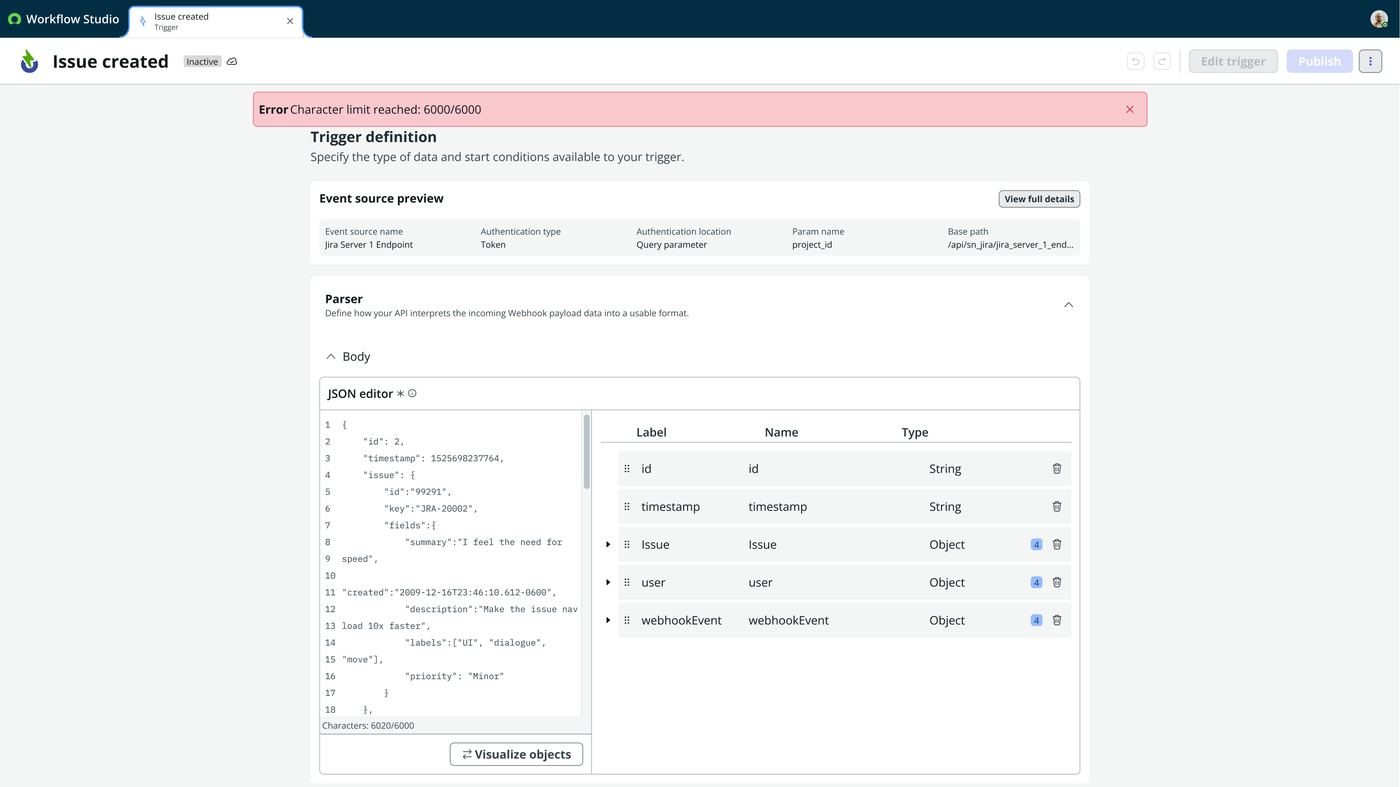
- The parser derives structure instead of asking for it. Paste the event payload
JSON and it generates the typed properties, reporting
Properties generated successfully
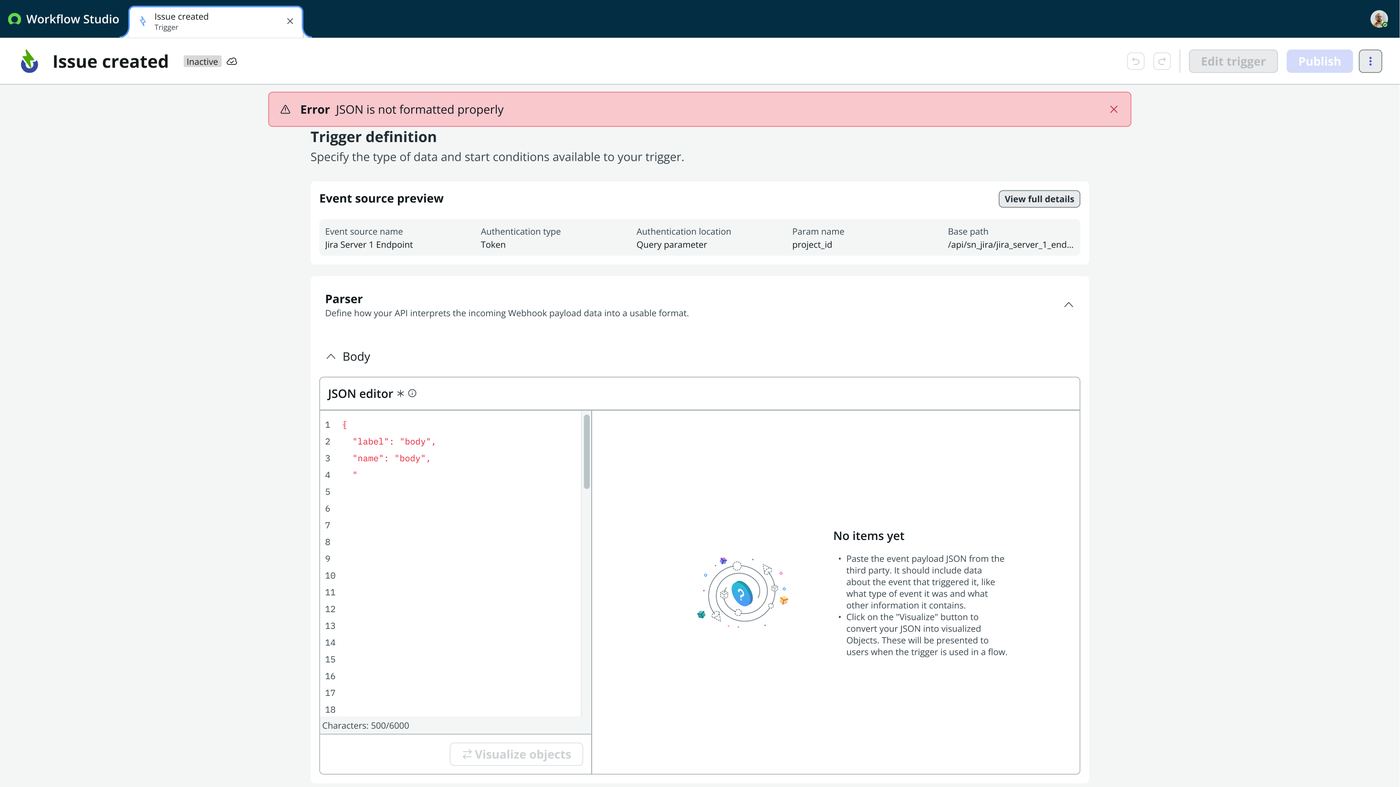
. Those become the data pills a flow author later drags in. Malformed input is caught at authoring time, withJSON is not formatted properly
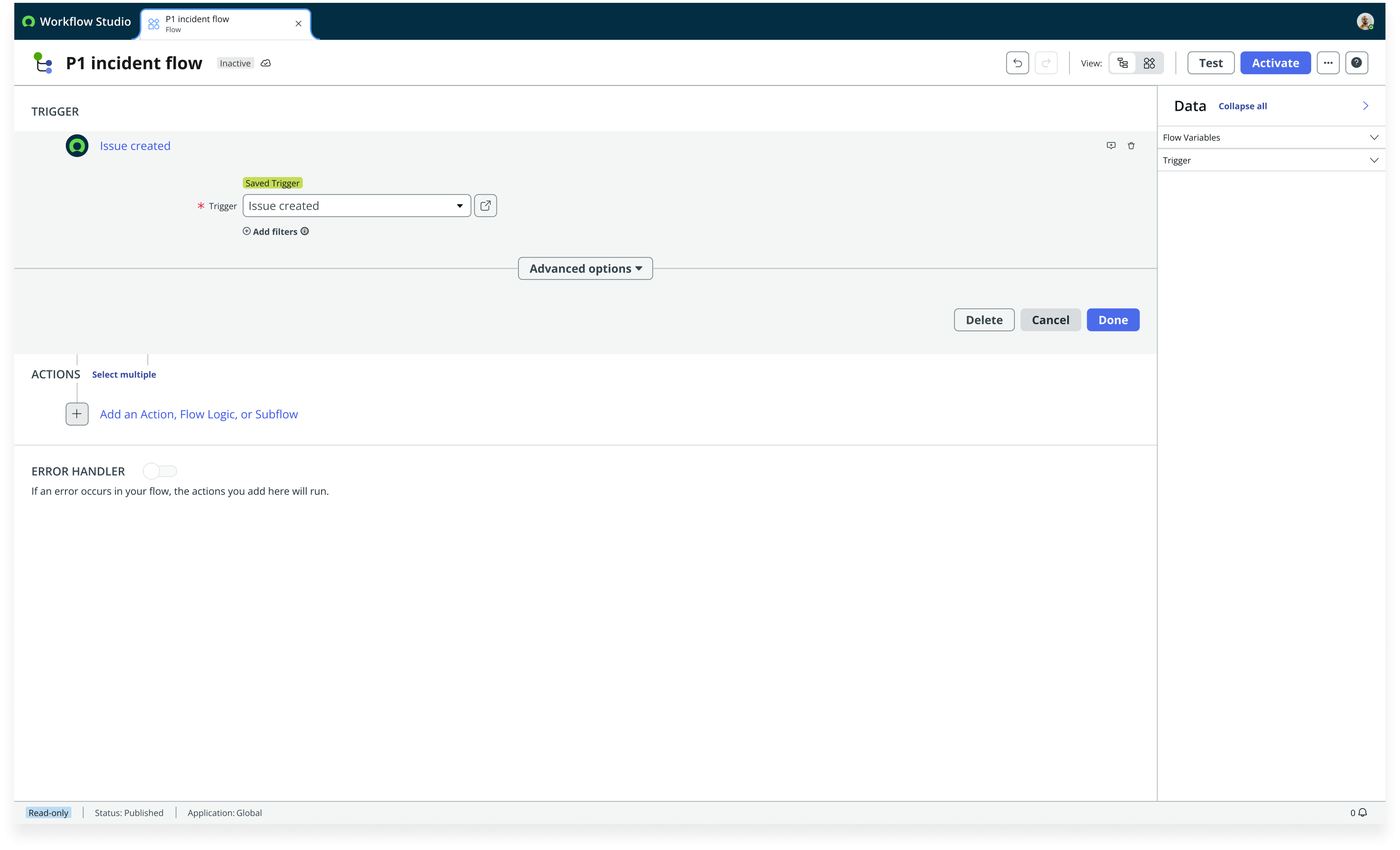
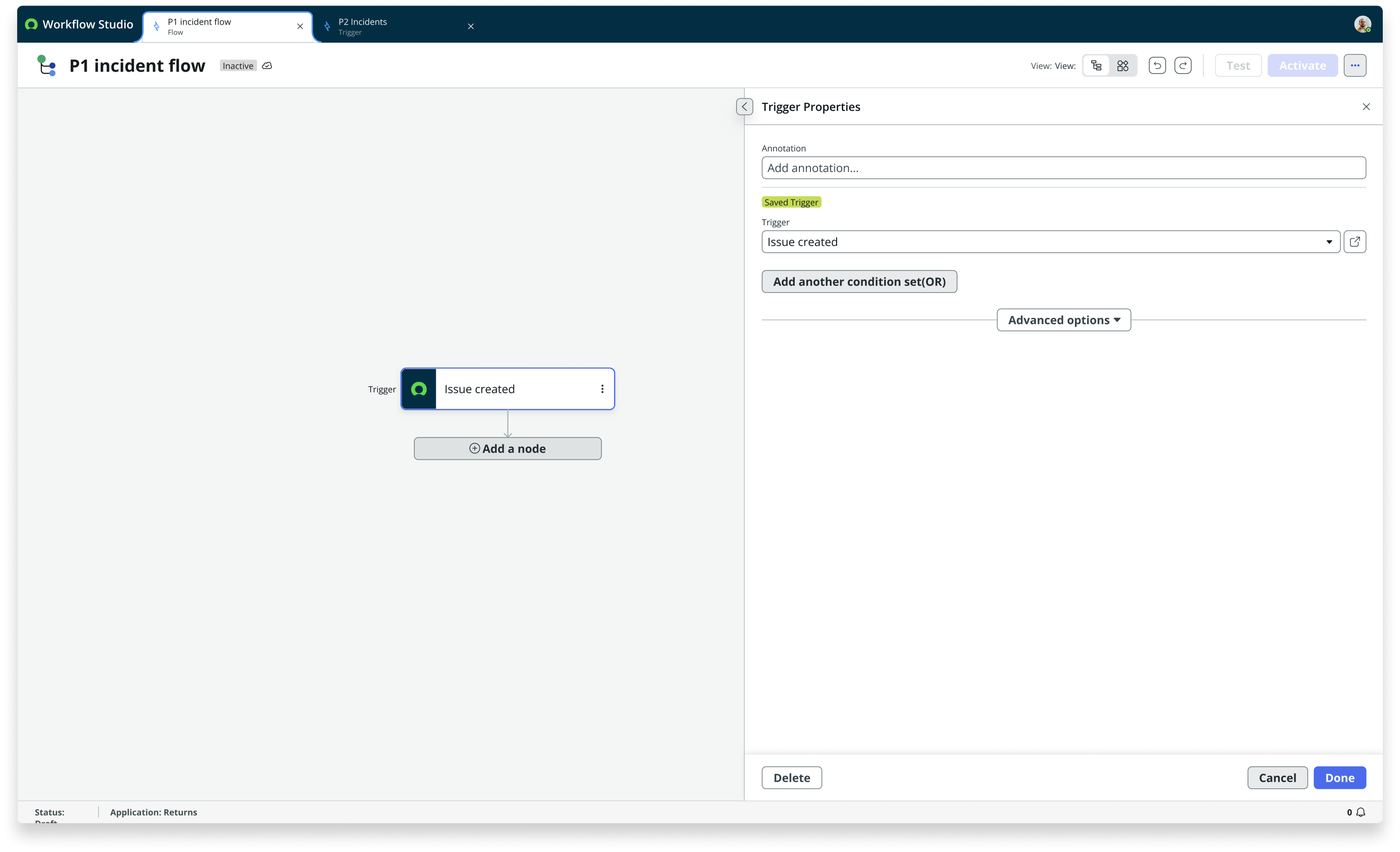
, rather than at the first real webhook. - The building side is reduced to almost nothing. Pick a trigger, drag in a condition. None of the auth, role or endpoint machinery is present. That contrast is the design outcome: a setup screen with real configuration weight, against a consumption screen reduced to two actions.
- One precision worth keeping. The document’s own bidirectional-integration section complicates the citizen-dev framing: it notes that citizen developers cannot define event-triggered flows via the spoke’s webhook-registry and decision-table mechanism. So the citizen-dev-friendly experience is specifically the External Triggers picker, not the machinery underneath it. Worth being exact about which layer actually achieved the simplification.
Interaction spec walkthrough
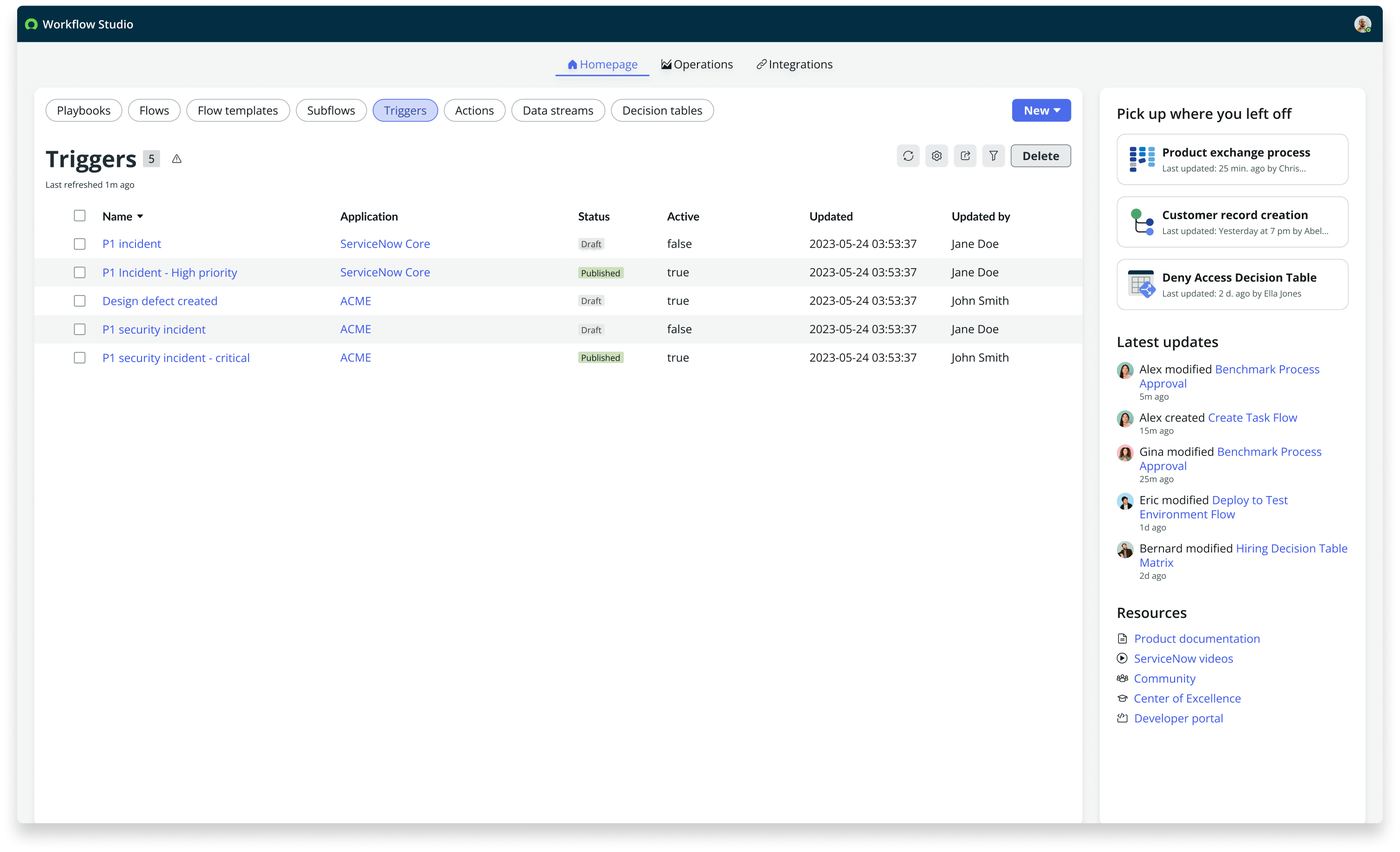
23 frames from the External Trigger interaction spec — the guided tour that carries an integration owner through the configuration, and the two-control surface a flow author sees afterwards. Step through it, or let it play.
User flows
- Install the spoke
- Workflow Studio ▸ Connections
- Inbound Connections
- Authorise
- Connection live for every future flow
- New ▸ Trigger
- Event source details, pre-filled
- Parser
- Name the output
- Request headers
- Query parameters
- Body: paste JSON, properties generated
- Conditions
- Publish
- “You can now use this trigger in Flows”
- New flow
- Trigger picker
- External trigger, e.g. Jira
- Drag in a condition
- Build the flow
- New flow
- Auth info, roles, request params, query params, headers
- Reconfigure the third-party system to match
- Repeat for the next flow
KPIs
connection configurations per integration, instead of one per flow
auth, role or endpoint fields exposed to a flow builder
actions to attach a third-party event to a flow: pick, then condition
research citations, named pain points or adoption data in the source material
Worth being precise about what backs this up. The interaction spec above is thorough: a full authoring surface, its guided tour, its validation and error states, and its governance rules. What sits behind it is not. There is no research citation, no named stakeholder pain point, no iteration history. One clearly stated design intent, and the screens that resulted. The first three figures are structural facts about the design rather than measured adoption, and saying so is more useful than inflating it.
Still open
- Adoption. No usage data reached me. The three structural figures above describe the design, not its uptake.
- Validation with real citizen developers. The source material carries no research citation and no iteration history, so the guided tour has never been tested against the audience it was built for.
- The bidirectional layer. Citizen developers still cannot define event-triggered flows through the spoke’s webhook-registry and decision-table mechanism. Only the picker got simpler.